Expense Tracking for Contractors
Snap receipts and track every dollar
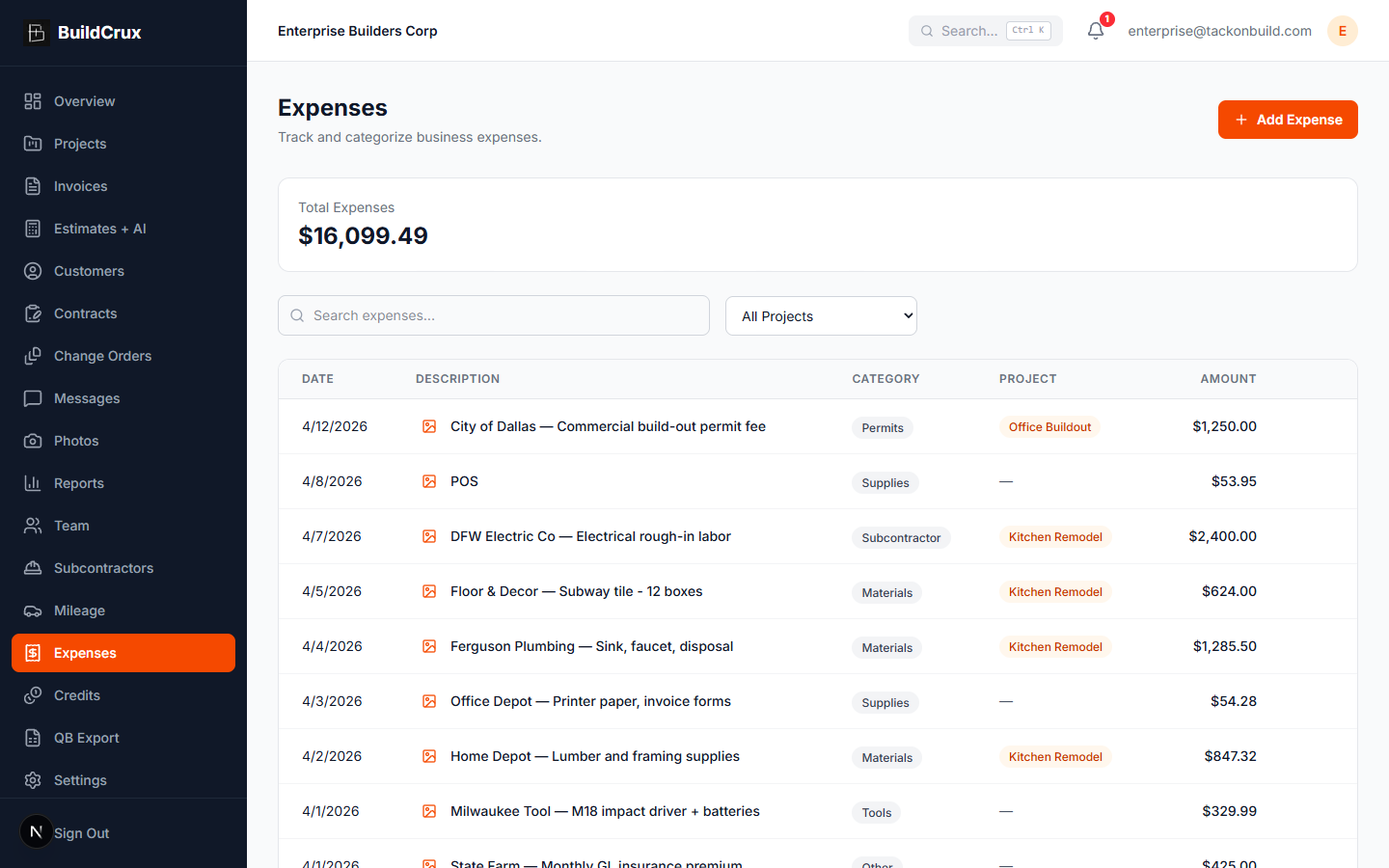
Upload receipt photos, categorize expenses, and tie them to specific projects so you know exactly where every dollar goes. BuildCrux replaces the shoebox of receipts with organized, searchable expense records that make tax prep and job costing painless.
What you get
Expenses — frequently asked questions
How do I get a receipt into BuildCrux?
Snap a photo of the receipt on your phone and upload it instantly — it's stored securely in the cloud so you're not hanging onto the paper. From there you categorize it and tie it to a job.
Can I see how much I've spent on a specific project?
Yes — every expense can be linked to a project, so your materials, labor, equipment, and fuel costs roll up per job for accurate job costing. That makes it easy to see exactly where a project's money is going.
Will this make tax prep easier?
You can search and filter expenses by date, category, or amount, then export a clean report for your accountant or tax preparer. It replaces the shoebox of receipts with organized, searchable records.
What happens if I lose the paper receipt?
Once the photo is uploaded it's stored in the cloud, so a lost or faded paper receipt is no longer a problem. Everything stays searchable whenever you need to pull it back up.
Ready to streamline your business?
Try BuildCrux risk-free with our 30-day money-back guarantee — full refund within 30 days.
Related reading from the blog
Faizan Khan · 10 min read
Job Costing for Contractors: How to Know Real Profit on Every Job
Most contractors do not know which jobs make money and which ones quietly lose it. Job costing fixes that. Here is how to track every cost category against the job in real time, and read true margin while you can still do something about it.
ReadFaizan Khan · 9 min read
Construction Mileage Tracking: IRS Rules and the Apps That Get It Right
A contractor driving 25,000 business miles a year misses out on $18,125 in deductions if the log is not audit-proof. Here are the IRS rules, the 2026 rate, and the workflow that captures every mile automatically.
Read