AI Estimating — plus the full contractor workspace
The estimating engine is the wedge: multi-pass AI takeoff on PDF drawing sets up to 500 pages, residential plus commercial TI. The rest of the workspace — projects, invoicing, contracts, mileage, team — is included so you can win the bid and run the job from one platform.
Turn a full plan set into a priced draft bid you review, in minutes
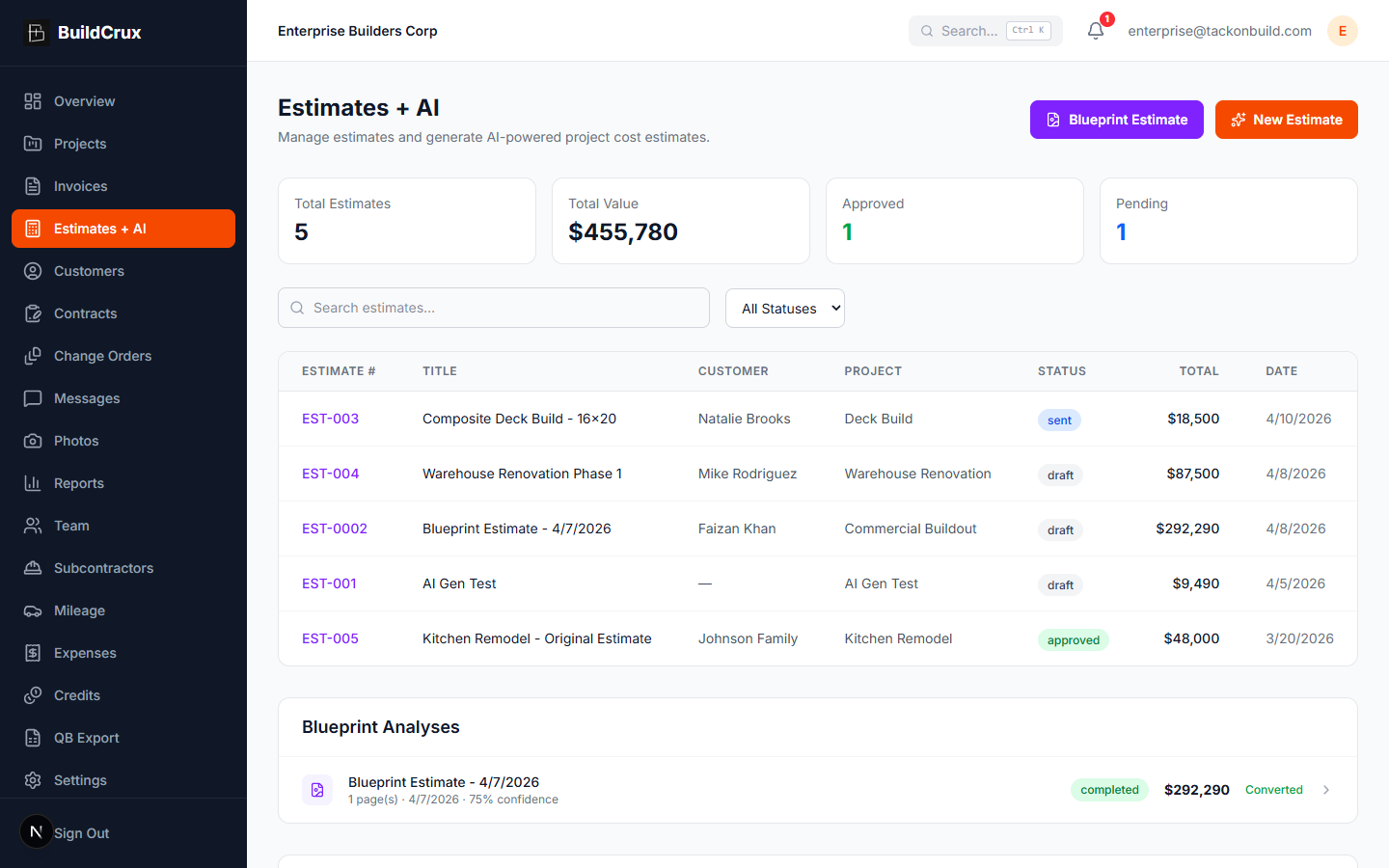
Estimates + AI
Upload a full PDF drawing set and BuildCrux runs a multi-pass pipeline that first identifies every sheet, then computes takeoff quantities, then prices each line against a calibrated unit-cost library. Multiple AI models then independently re-price and cross-check every line, arbitrating any disagreement so a misread never reaches your bid. It reads residential plans, restaurant and dental fit-outs, and large commercial multi-discipline sets across mechanical, electrical, plumbing, structural, and finishes, on both tenant-improvement and ground-up work. Pricing is location-aware: it reads the project address off the title block and adjusts labor and material to that market instead of quoting a high-cost metro job at national rates. The plan reading is grounded in a document-traceable dictionary of drawing symbols, abbreviations, and furnishing conventions built from public-domain standards, so it decodes an owner-furnished O/I note instead of guessing. Every line carries a confidence flag and a link back to its source sheet, and advisory checks surface trades that look under-itemized plus code-required items the drawings rarely show, like ADA clearances. The result is an AI draft you review, edit, and adjust before you bid, never a finished number you send blind.
- Multi-pass commercial takeoff
- Location-aware market pricing
- Scope + code-required flags
And the supporting workspace
Collect subcontractor bids, level them against your AI estimate, and assemble the customer bid
Sub-Bid Leveling
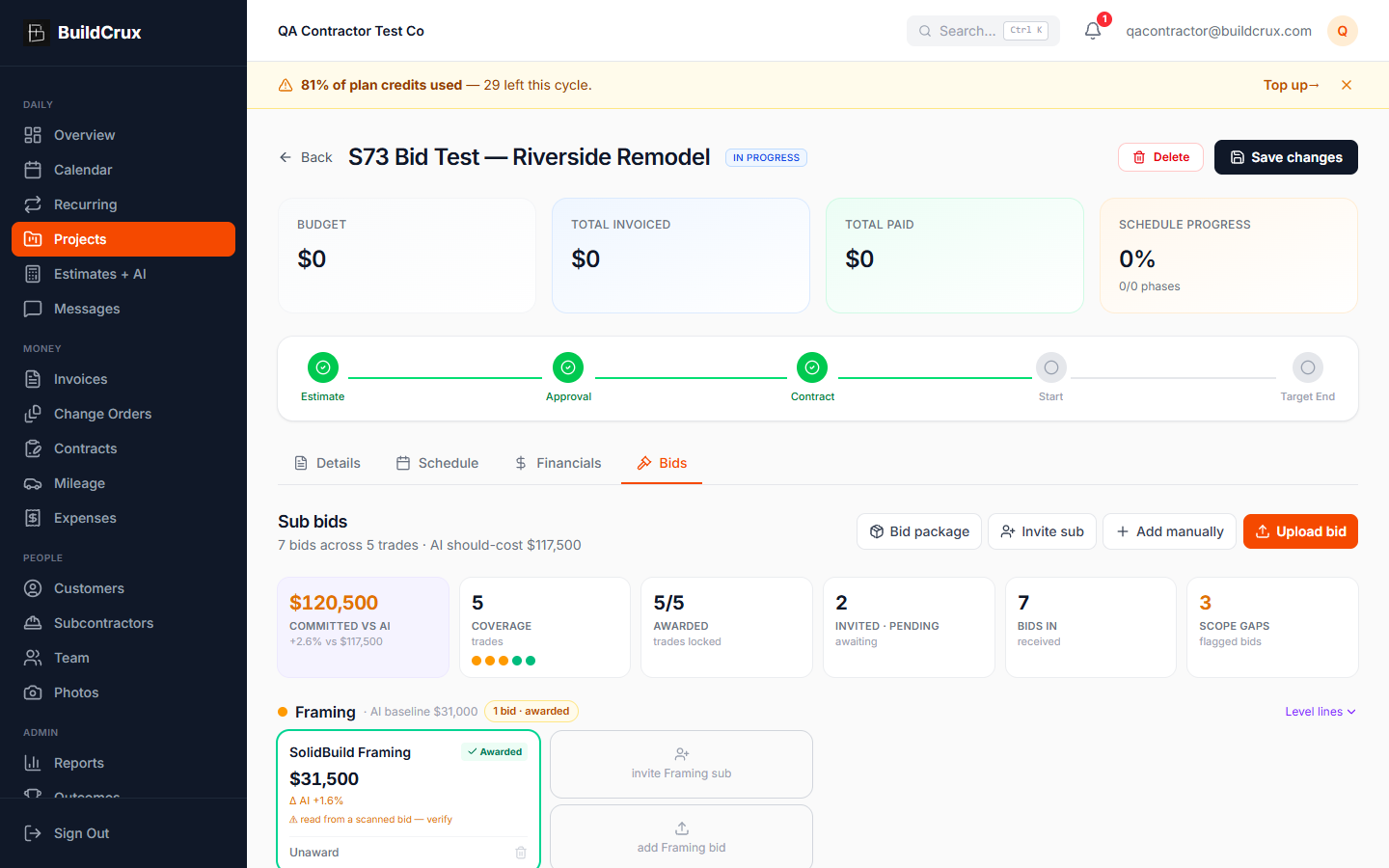
Stop leveling sub bids on a legal pad. BuildCrux gives every project a Bids tab where you collect subcontractor bids three ways: upload the PDFs yourself, send a per-trade invite link the sub opens and uploads to with no login, or key in a bid total by hand. Each uploaded bid is read by AI into line items, a bid total, and the inclusions, exclusions, and assumptions that actually decide a comparison, so you are leveling apples to apples instead of eyeballing a stack of mismatched PDFs. The board groups bids by trade, normalizes a bid that excludes scope by holding that work at your AI should-cost, and shows each bid's variance against the AI estimate, so the cheapest raw number is not mistaken for the best value. Coverage dots tell you at a glance which trades have real competition and which still need a chase, and any trade with no bid stays held on your AI estimate so the committed number is never quietly short. When you award, the awarded bids plus the held scope roll into a new draft customer estimate with your GC markup, ready to review and send through your normal flow.
- Level bids against your AI estimate
- Coverage dots per trade
- Assemble awarded bids into an estimate
Know your win rate, why bids slip away, and how close the AI's price lands to what you actually charge
Bid Outcome Tracking & Win Rate
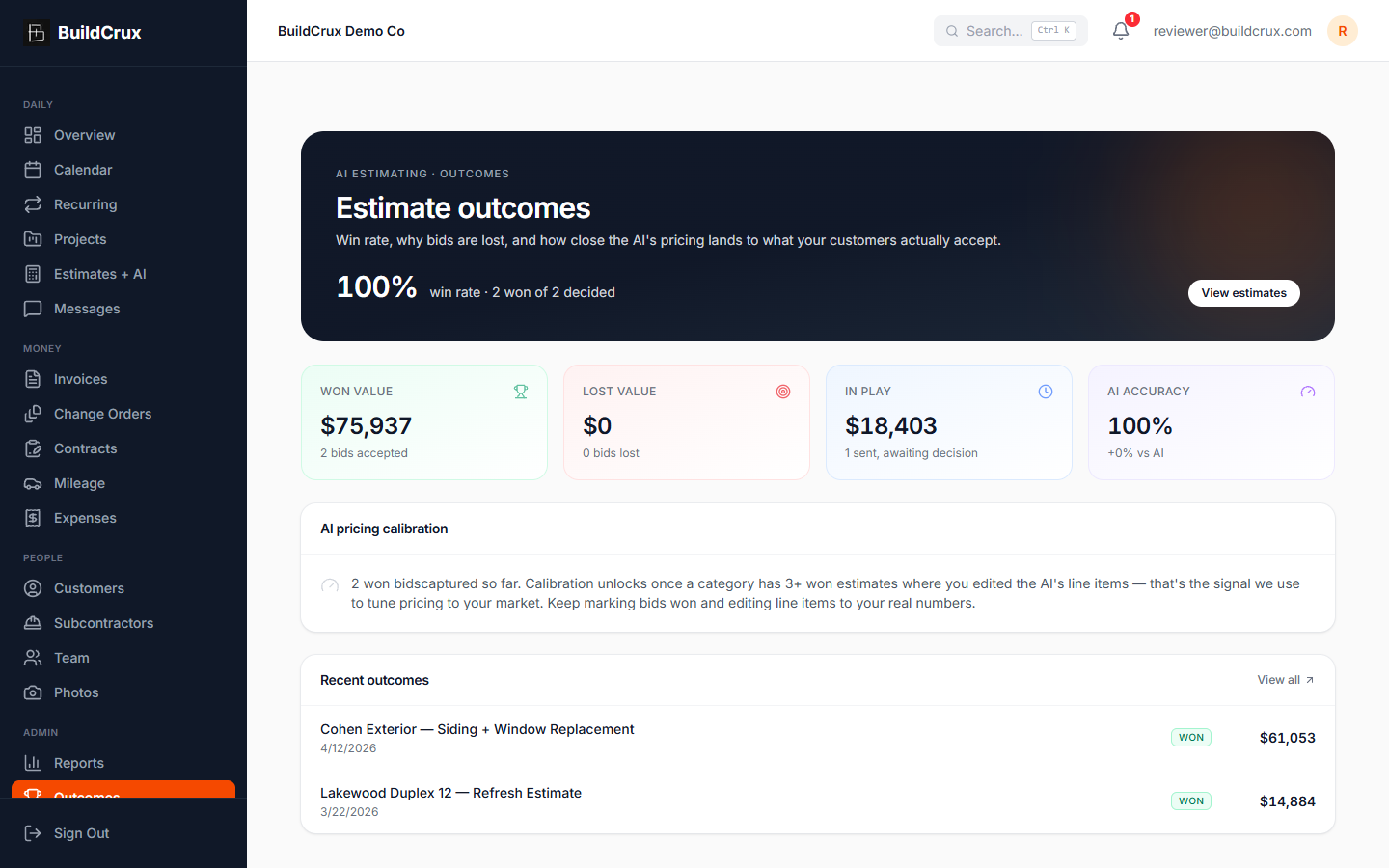
See which bids you win, which you lose, and why, then watch the AI estimator get closer to your real prices the more you use it. Mark any estimate won, lost, or still in play, and BuildCrux keeps score: your win rate, the dollar value sitting in each bucket, and how the AI's predicted total compares to what customers actually accepted. When a bid slips away you log the reason, and if you lost to a competitor you can name them, so the pattern behind your losses stops being a guess. Every estimate you win and edit to your real numbers feeds a per-category pricing signal, and once a category has at least three won, edited bids, BuildCrux starts biasing future AI estimates toward your own pricing instead of its default baseline. It is not a black box that claims to already know your prices. It is a scoreboard that gets sharper the more wins you log.
- Win rate, won, lost, and in-play
- Loss reasons with competitors named
- AI pricing calibrated from your wins
See the exact plan sheet behind every AI estimate line, so you can check the number before you bid
Visual Takeoff & Plan-Source Provenance
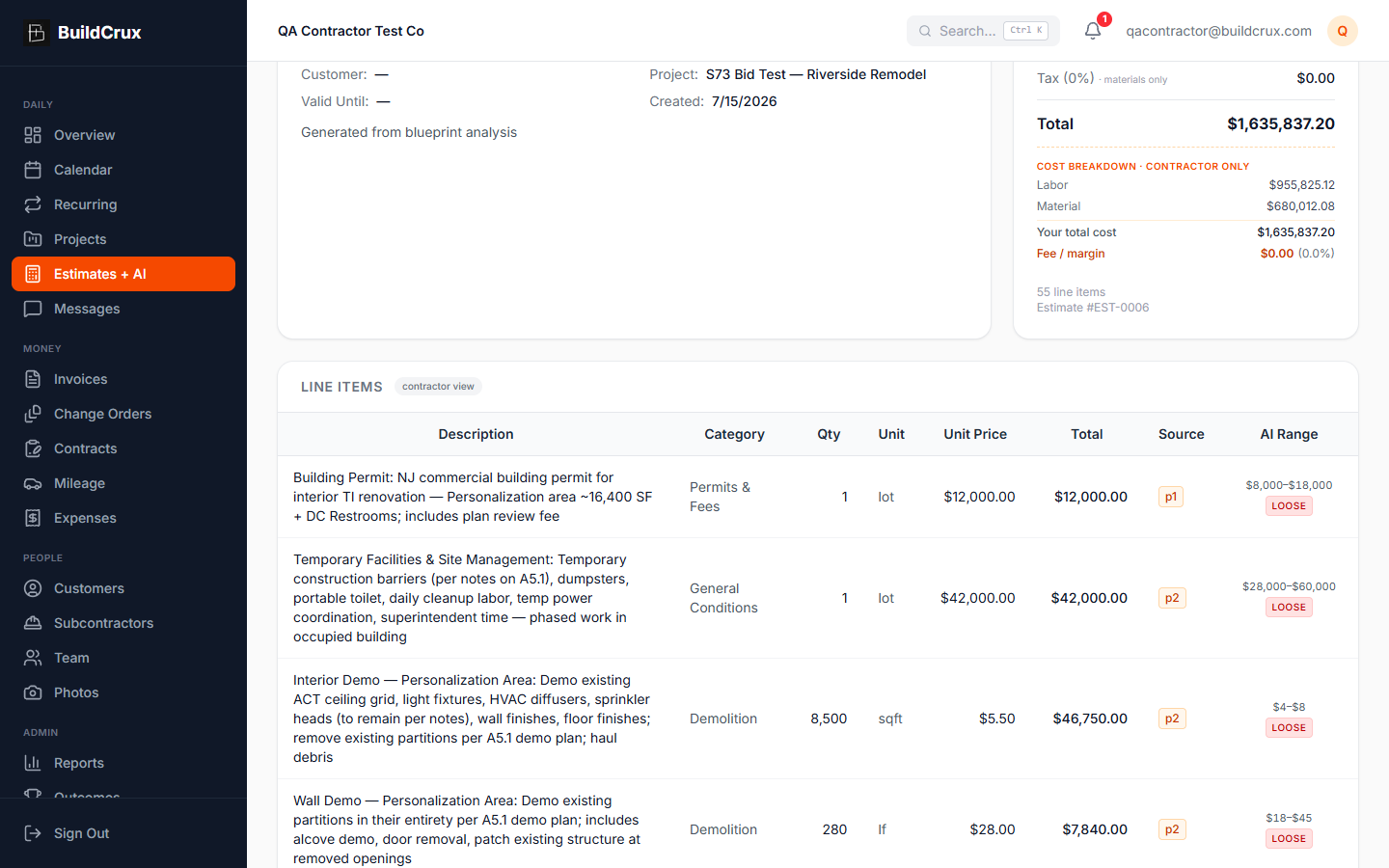
Every line BuildCrux's AI puts on an estimate remembers where it came from. Each line carries the plan-set page it was read off of, so you click a "Source" chip and the exact sheet opens in a viewer, rendered from your original PDF. The viewer names the sheet at the top ("Sheet A-13 — Left Wing Plans") and shows chips for the rooms the takeoff pulled from that page, so you know what you are looking at without hunting. On clean vector CAD drawings the viewer locks a highlight onto the drawing's own printed label text, so the box sits right on "KING 2 LEFT" or "322 SF" instead of a guess. On scanned or raster sets there is no text to lock onto, so the highlight is an approximate area the AI pinpoints for that one line, and the caption tells you plainly which kind you are looking at. You can zoom in up to 400% to read dimensions and fine print, and it works both on the AI takeoff view and on the formal estimate detail page. Your plans stay private the whole time. The viewer pulls each sheet through a short-lived signed link and only workspace members can open it.
- Every line traces to its sheet
- Highlight snaps to plan text
- Zoom up to 400% in-app
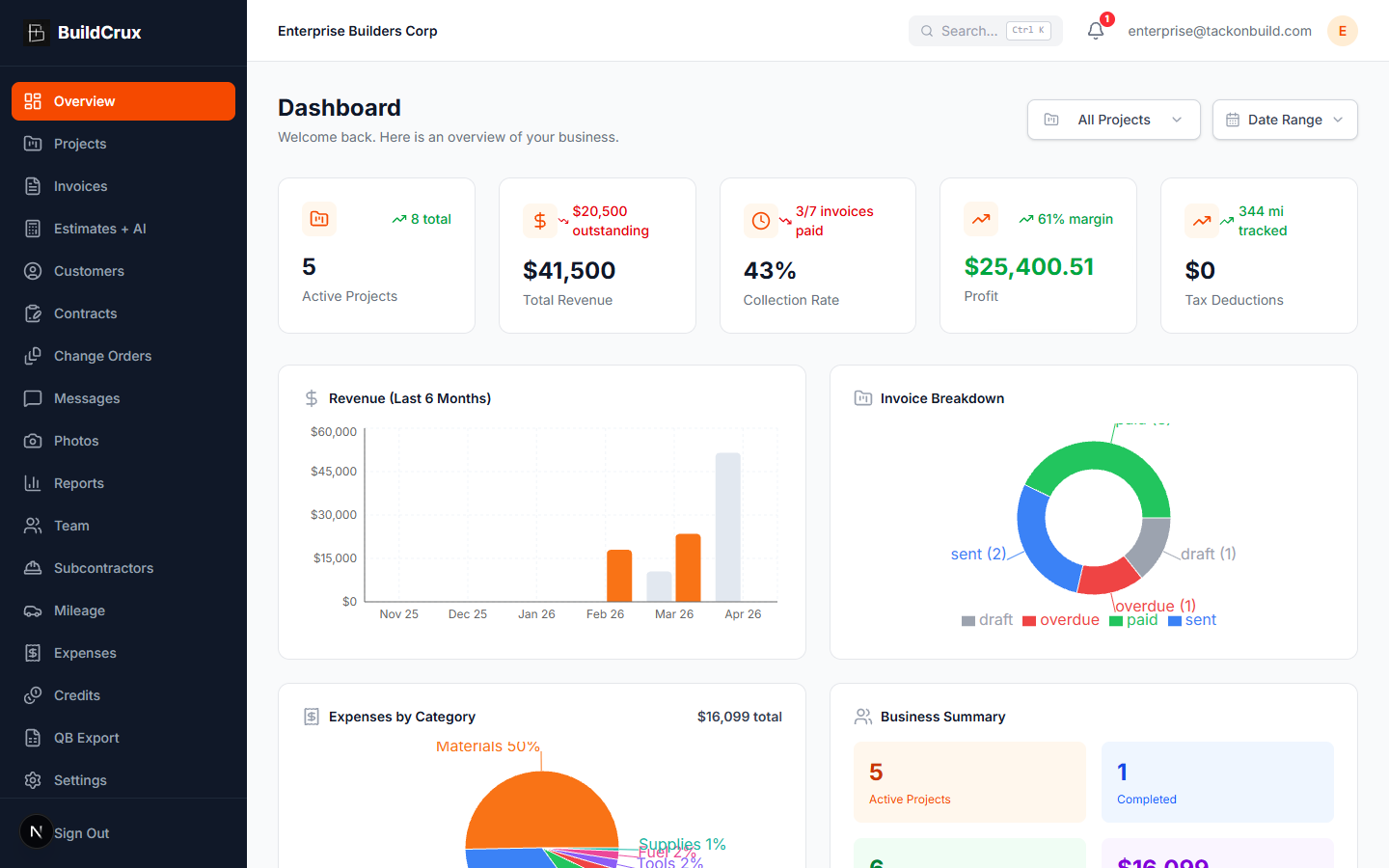
Your entire business at a glance
Overview / Dashboard
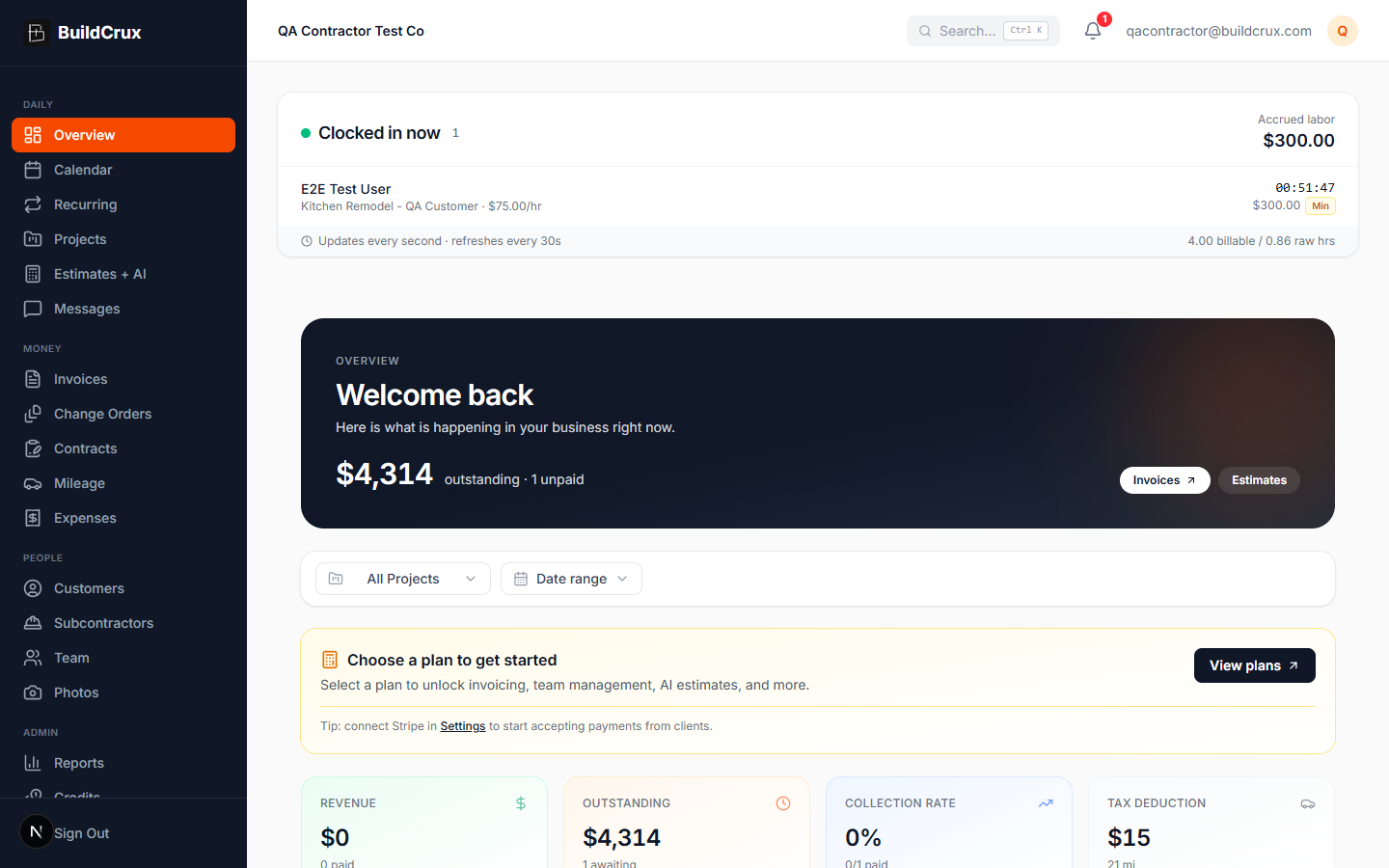
Get a real-time snapshot of every active project, outstanding invoice, and team update from one unified dashboard. BuildCrux surfaces the KPIs that matter most to contractors — revenue collected, jobs in progress, upcoming deadlines, and recent activity — so you spend less time hunting for information and more time on the jobsite.
- Real-time KPI cards
- Live activity feed
- Works on any device
Track every job from bid to close-out
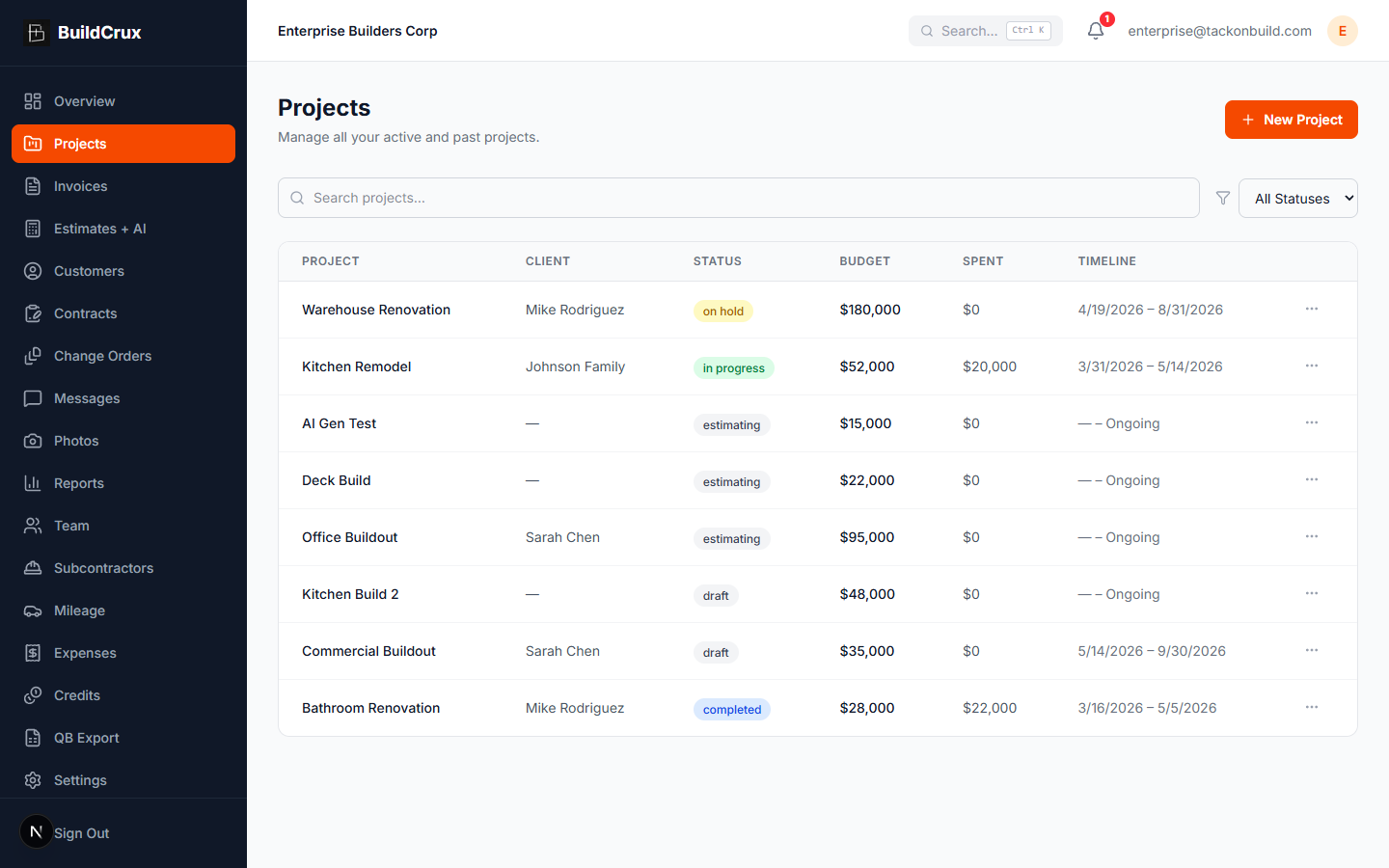
Projects
Organize residential and commercial jobs with phases, timelines, and status tracking purpose-built for contractors. BuildCrux lets you break each project into scheduled phases, assign tasks, monitor budgets, and keep your entire crew aligned — whether you run two jobs or two hundred.
- Track unlimited projects
- Phase-based scheduling
- One-click status updates
Send invoices and get paid faster
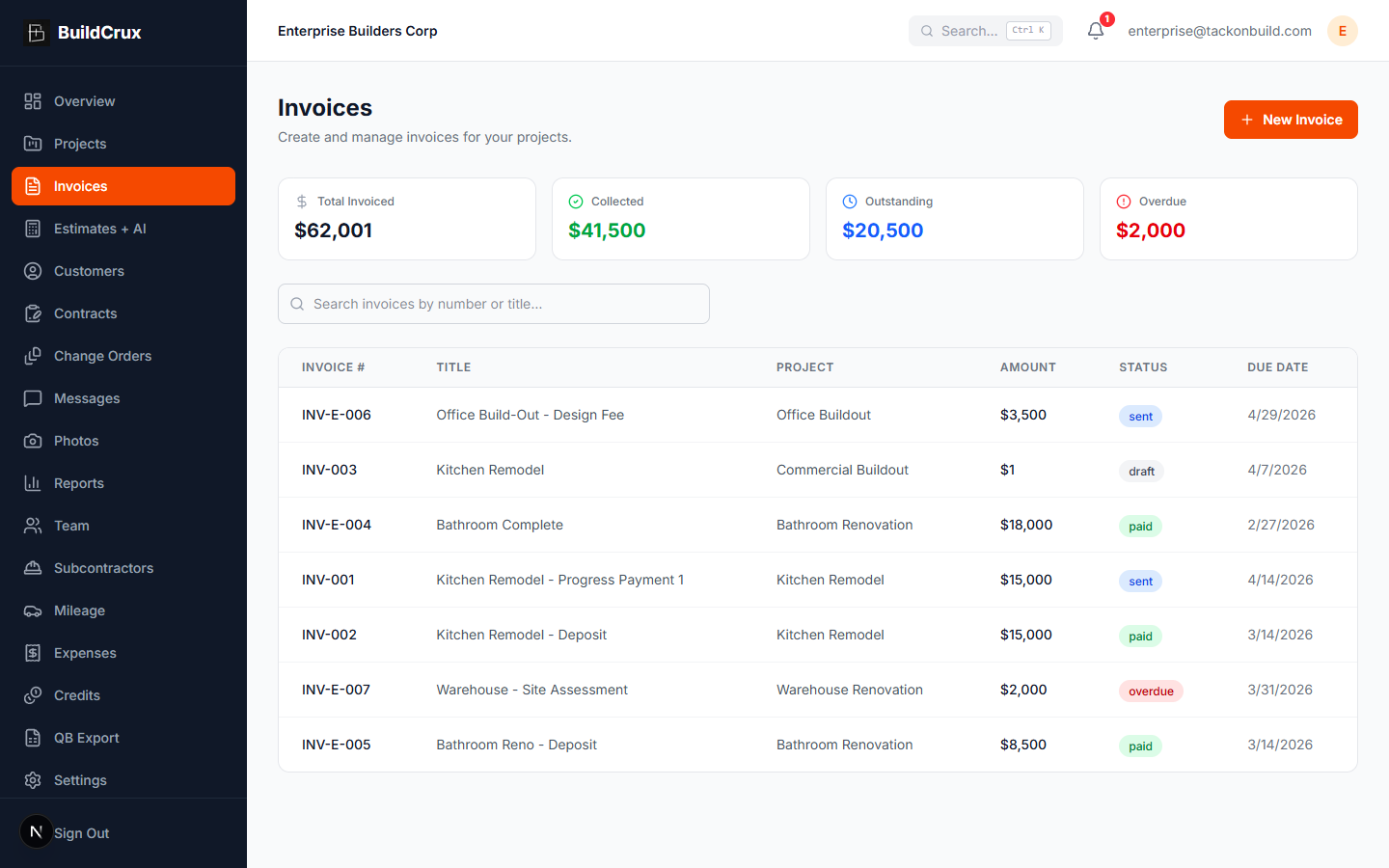
Invoices
Create professional invoices, send them to clients, and collect payments by card or bank transfer (ACH) through integrated Stripe processing — all without leaving BuildCrux. Bank transfers cost a fraction of card, so you keep more of every payment. Automated status tracking shows you exactly which invoices are paid, pending, or overdue so nothing slips through the cracks.
- Card & bank (ACH) payments
- Overdue alerts
- Estimate-to-invoice conversion
Keep every client detail in one place
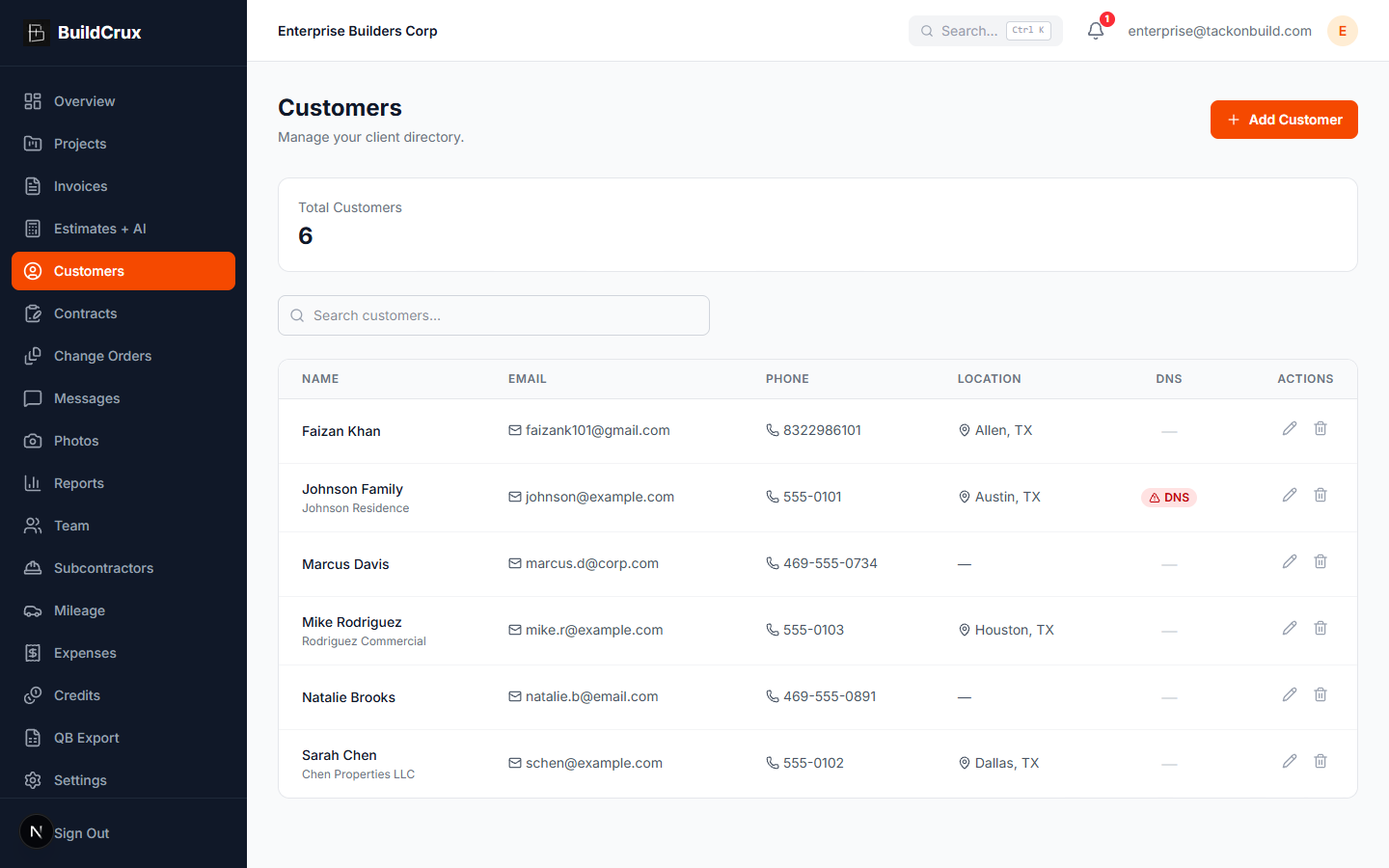
Customers
Maintain a complete CRM for your contracting business with customer profiles, contact details, project history, and communication logs. BuildCrux auto-creates customer records when you send invitations, so your database stays current without extra data entry.
- Auto-created customer records
- Full project history per client
- Customer portal access
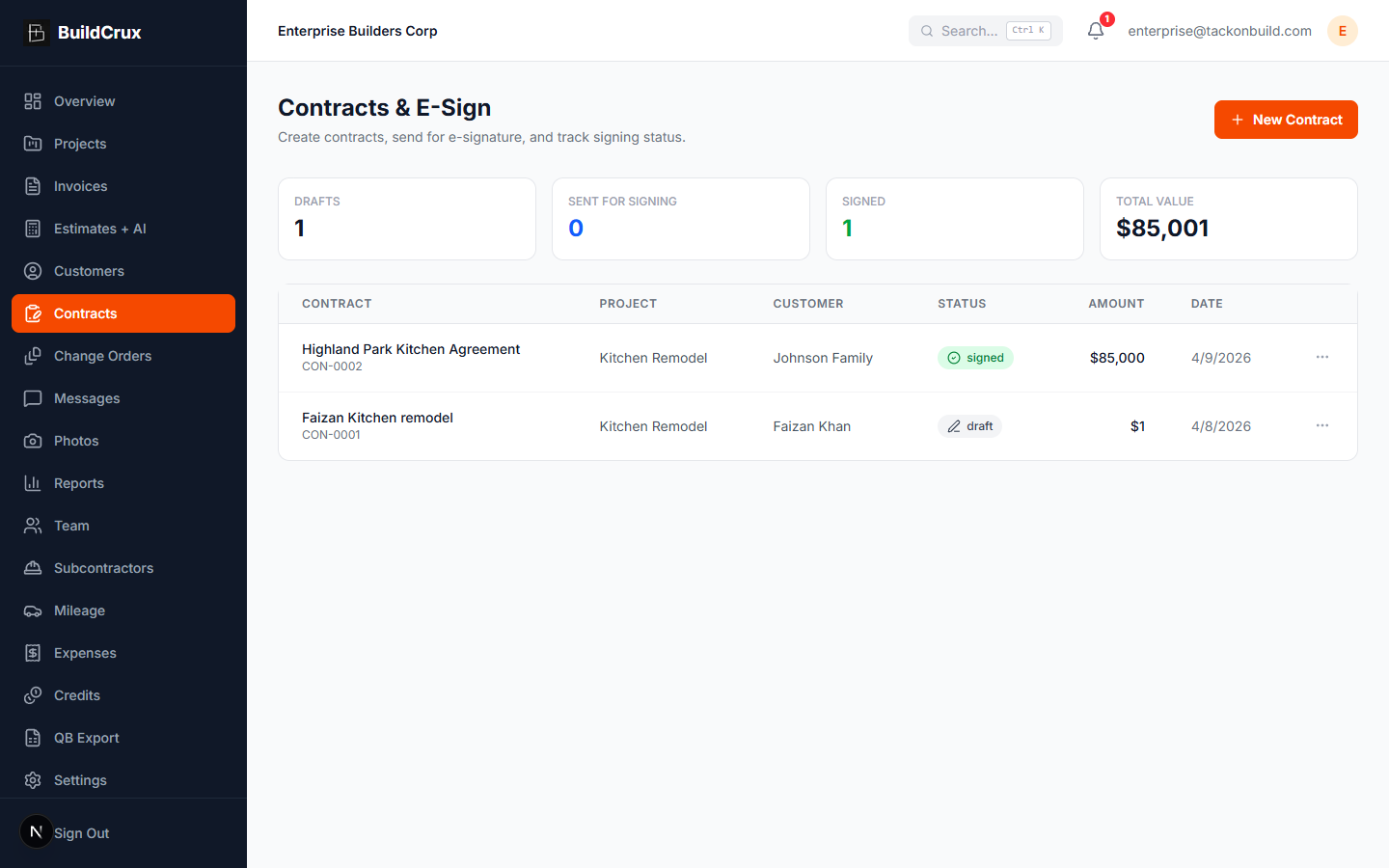
Digital contracts signed and stored securely
Contracts
Create, send, and manage digital contracts with version tracking and e-signature support. BuildCrux keeps every agreement linked to its project so you always have the latest signed version at your fingertips — on the jobsite or in the office.
- E-signature support
- Version tracking
- Linked to projects automatically
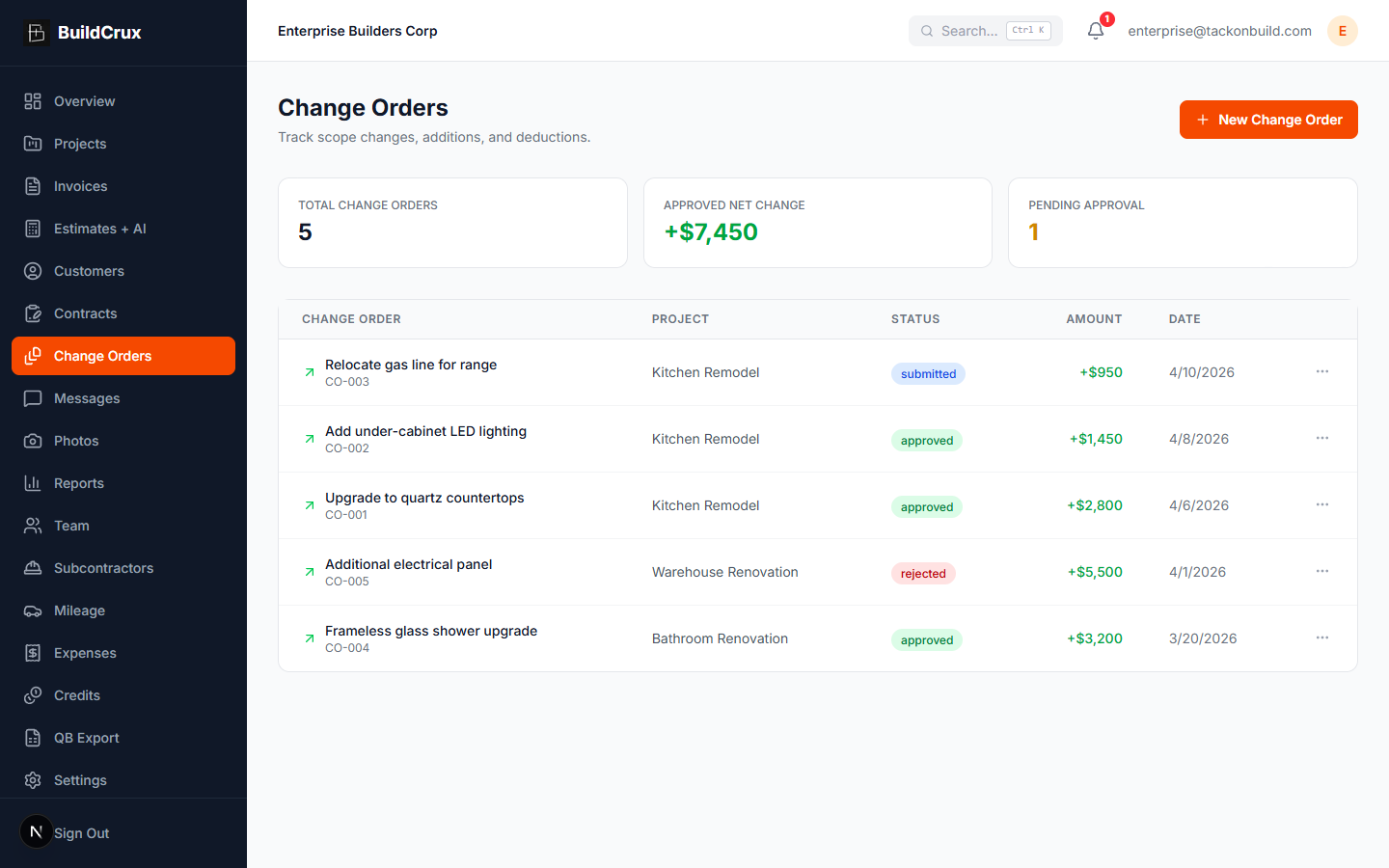
Manage scope changes without the chaos
Change Orders
Track every scope change with a numbered change order system that keeps clients and crews aligned. BuildCrux logs the what, why, and cost impact of each CO and routes it through an approval workflow so nothing gets built (or billed) without sign-off.
- Auto-numbered CO system
- Built-in approval workflow
- Full cost impact tracking
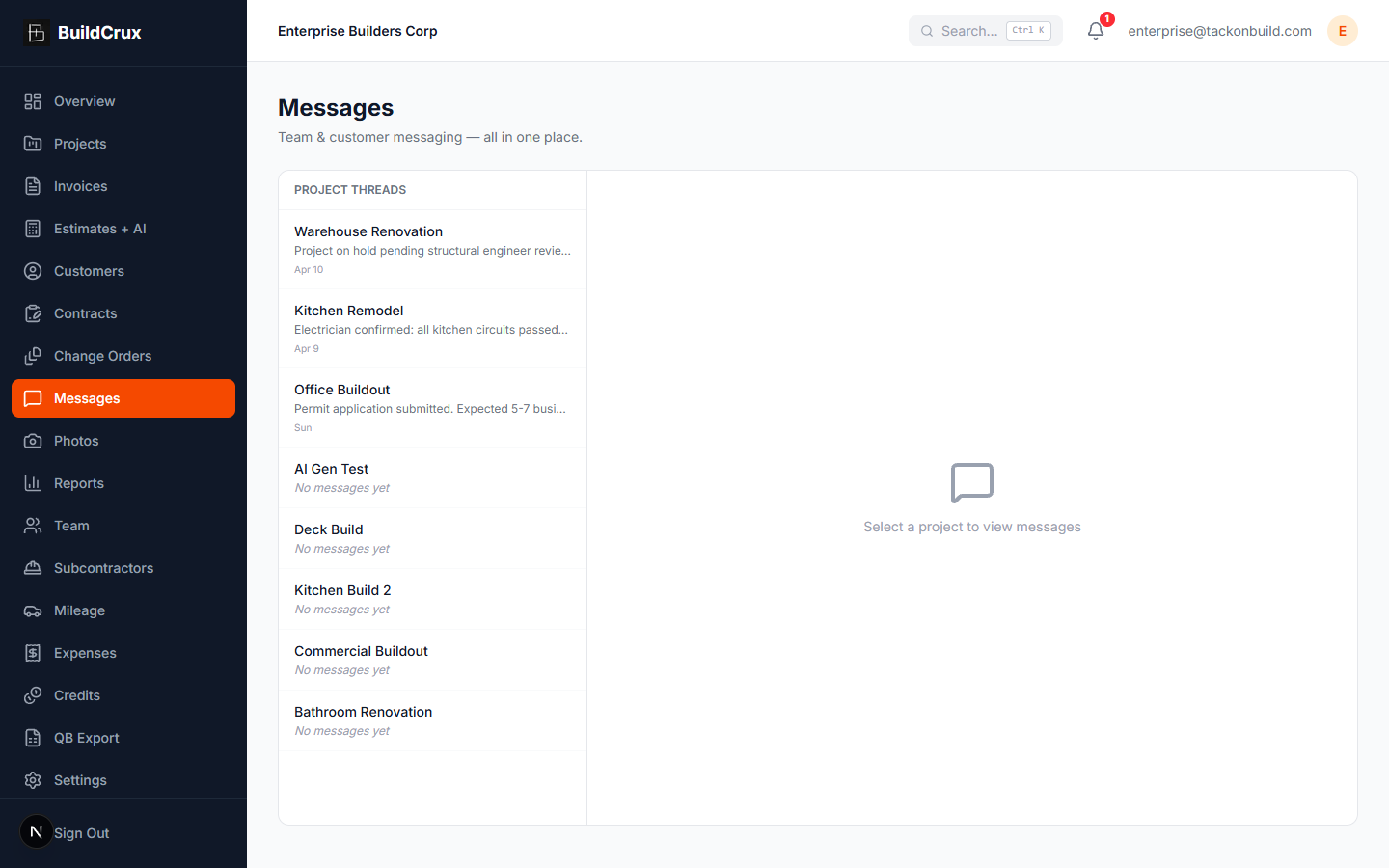
Team broadcasts, private DMs, and customer threads in one inbox
Messages
Communicate with team members and customers from a single unified inbox with email and SMS delivery. Broadcast to the whole crew, send a 1:1 direct message to a specific teammate (private — owner and other admins can't read it), or message the customer via email and SMS — all from the same project thread. BuildCrux keeps every conversation tied to the right project so you never lose context.
- Private 1:1 DMs
- Email + SMS to customers
- Project-linked threads
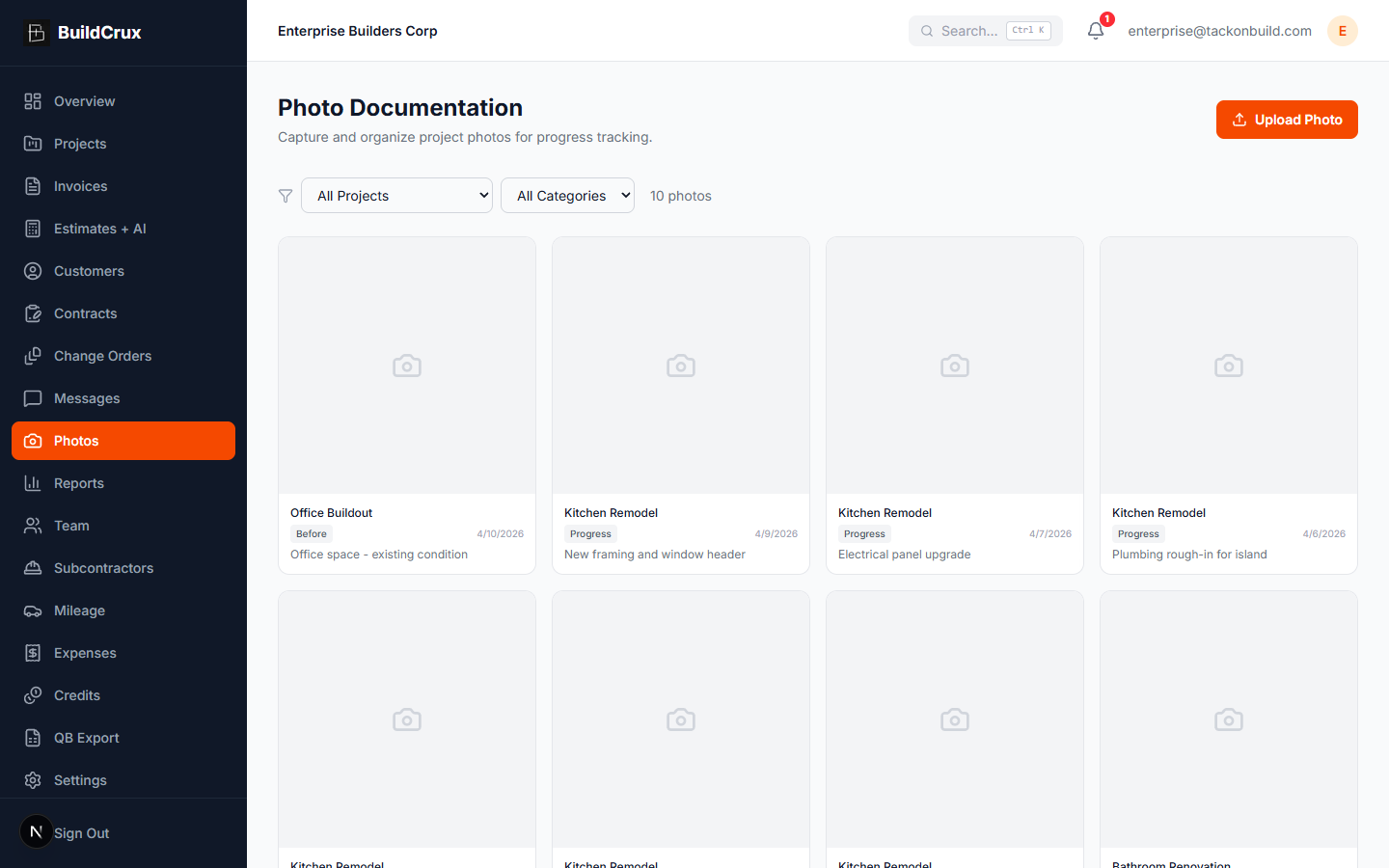
Document every jobsite with project photos
Photos
Capture and organize project photos directly in BuildCrux so every before, during, and after shot is linked to the right job. Photo documentation protects you during disputes, keeps clients informed, and creates a visual record of your craftsmanship.
- Organized by project
- Secure cloud storage
- Share with clients
Financial and project reports in seconds
Reports
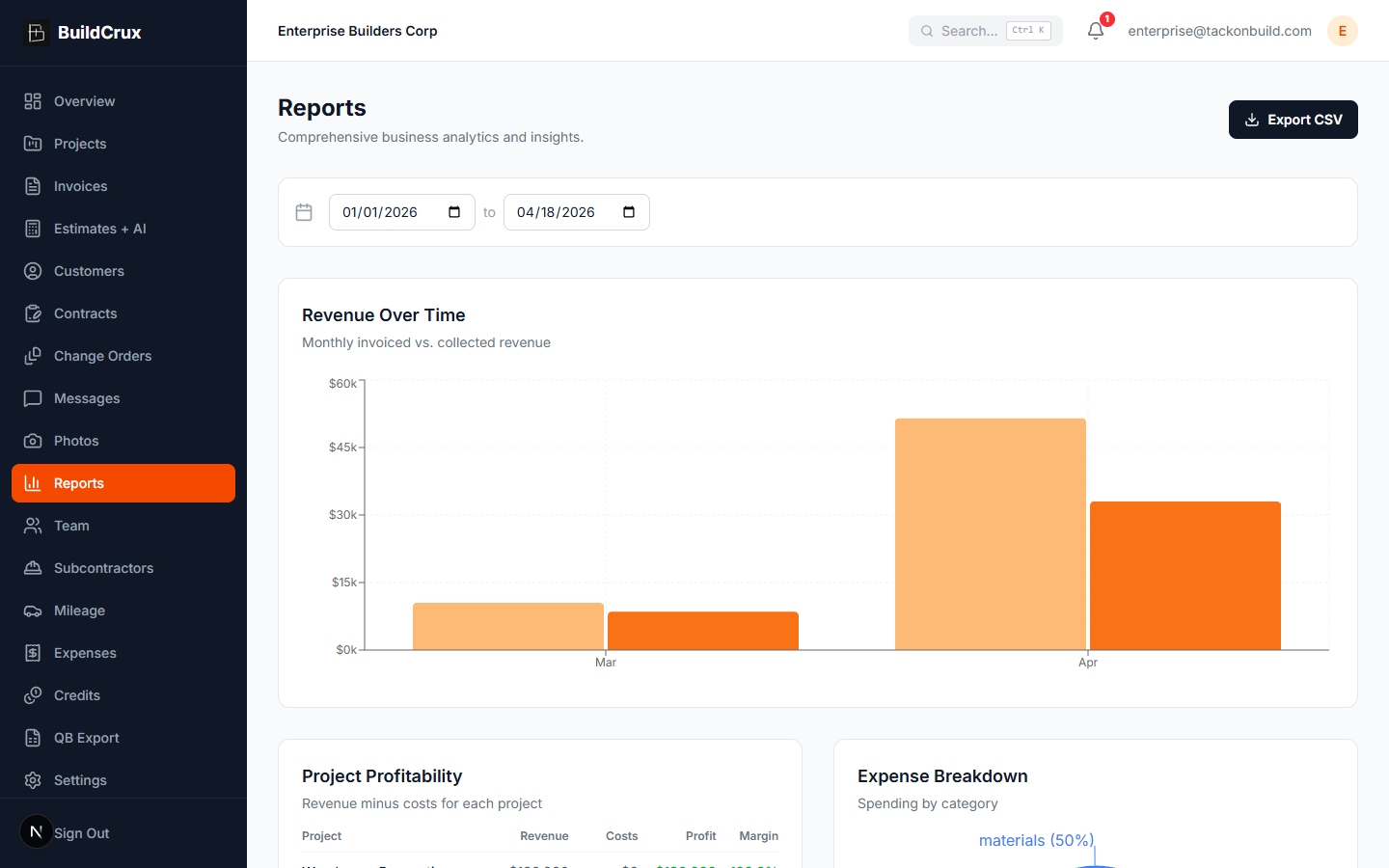
Generate financial summaries, project analytics, and expense breakdowns with a few clicks. BuildCrux compiles invoices, expenses, mileage, sub payments, and crew labor — the four cost categories that make profit honest — into clear, exportable reports so you are always prepared for tax season, client meetings, or business reviews. The Profitability table puts revenue against every cost category for each project; the Labor Summary card, powered by the Crew Time Clock, breaks down billable hours, total shifts, and labor cost across any date range.
- Export to CSV and PDF
- Per-project profitability
- Visual charts and graphs
Manage your crew with roles and permissions
Team
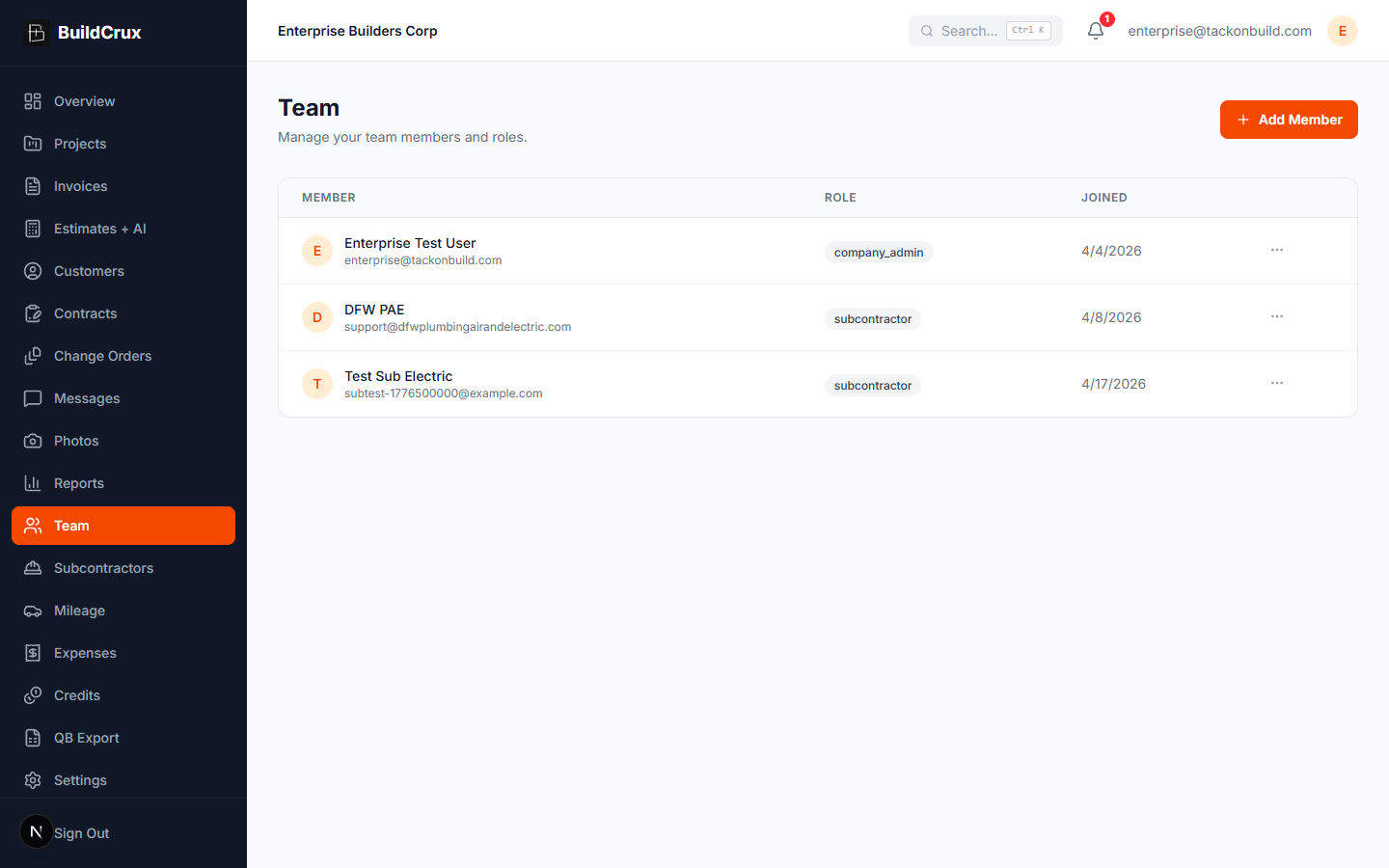
Add team members, assign roles, and control what each person can see and do inside your workspace. BuildCrux makes it easy to onboard employees and office staff with invite-based signup, so everyone has the access they need — and nothing they do not.
- Invite via email or SMS
- Role-based access control
- Scales with your business
Track subs by trade and keep them close
Subcontractors
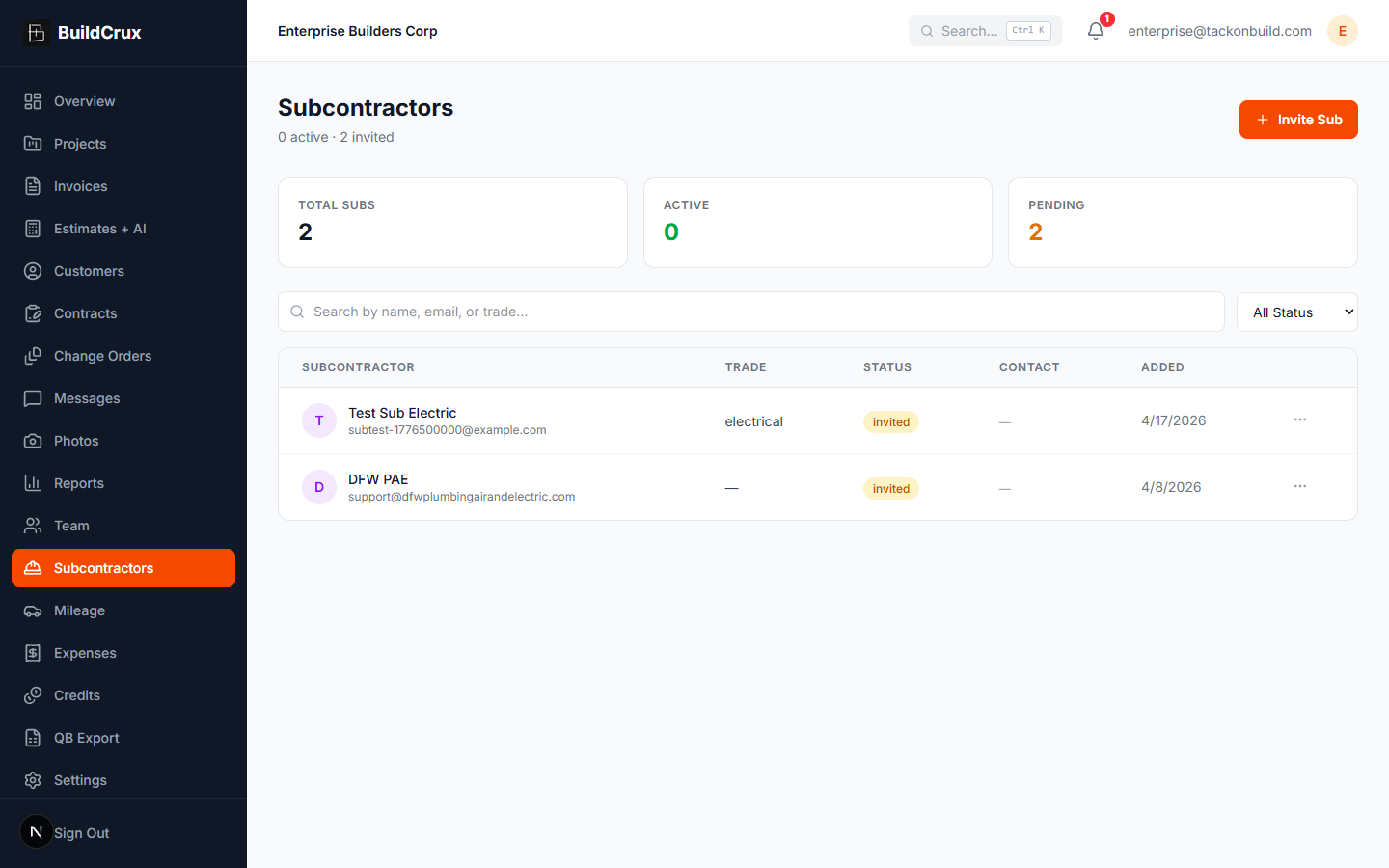
Manage your subcontractor roster with trade-specific profiles, contact details, and project assignments. BuildCrux lets you invite subs directly, track which trades are on each job, and maintain a reliable network of specialists you can call on for any project.
- 19 trade categories
- Invite via email or SMS
- Per-project sub assignments
Log every mile and maximize deductions
Mileage
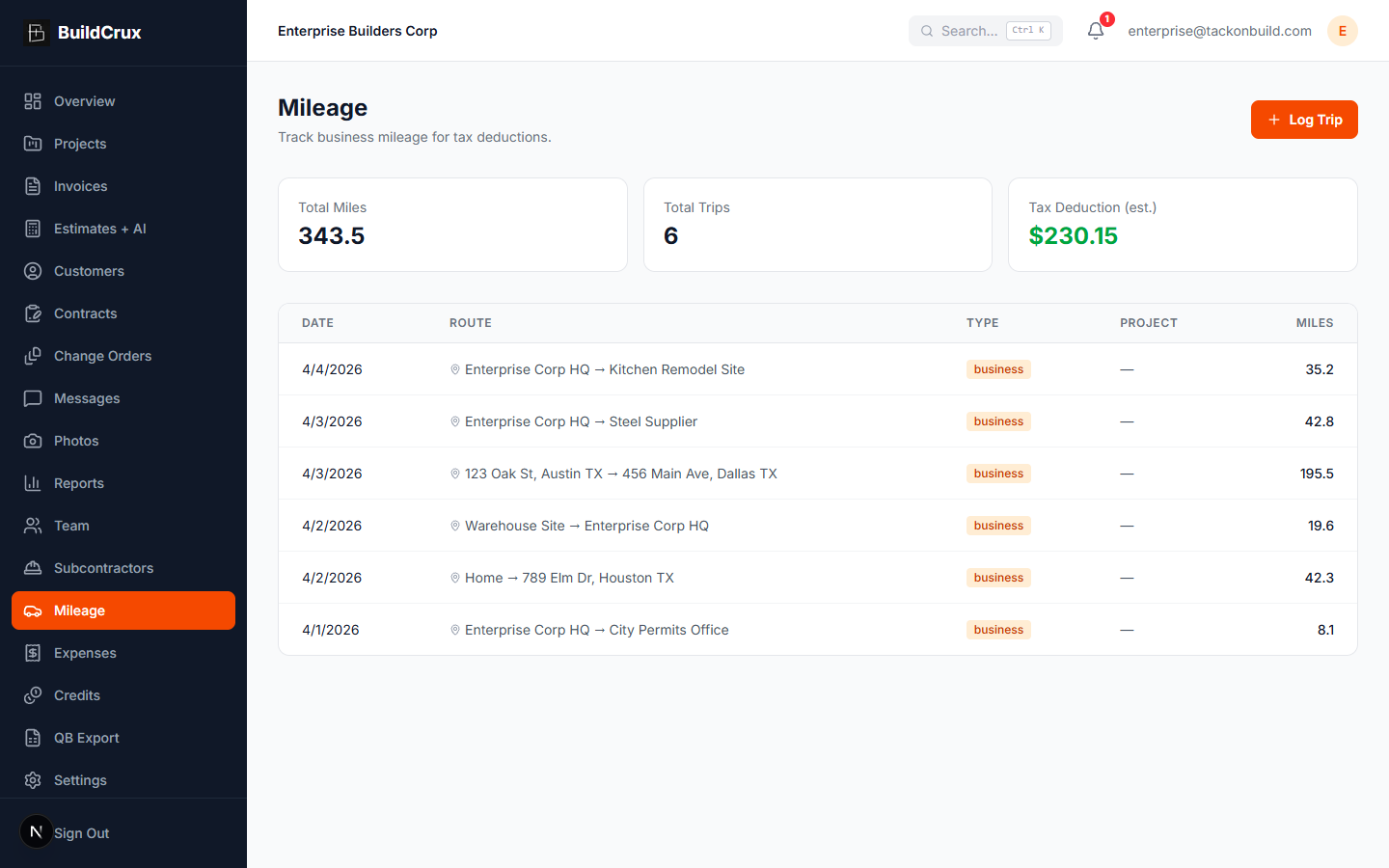
Track mileage between jobsites with automatic distance calculation powered by Google Maps. BuildCrux logs origin, destination, distance, and purpose for each trip so you capture every deductible mile without scribbling on receipts or forgetting at tax time.
- Auto-calculate distances
- IRS-compliant trip logs
- Google Maps integration
Snap receipts and track every dollar
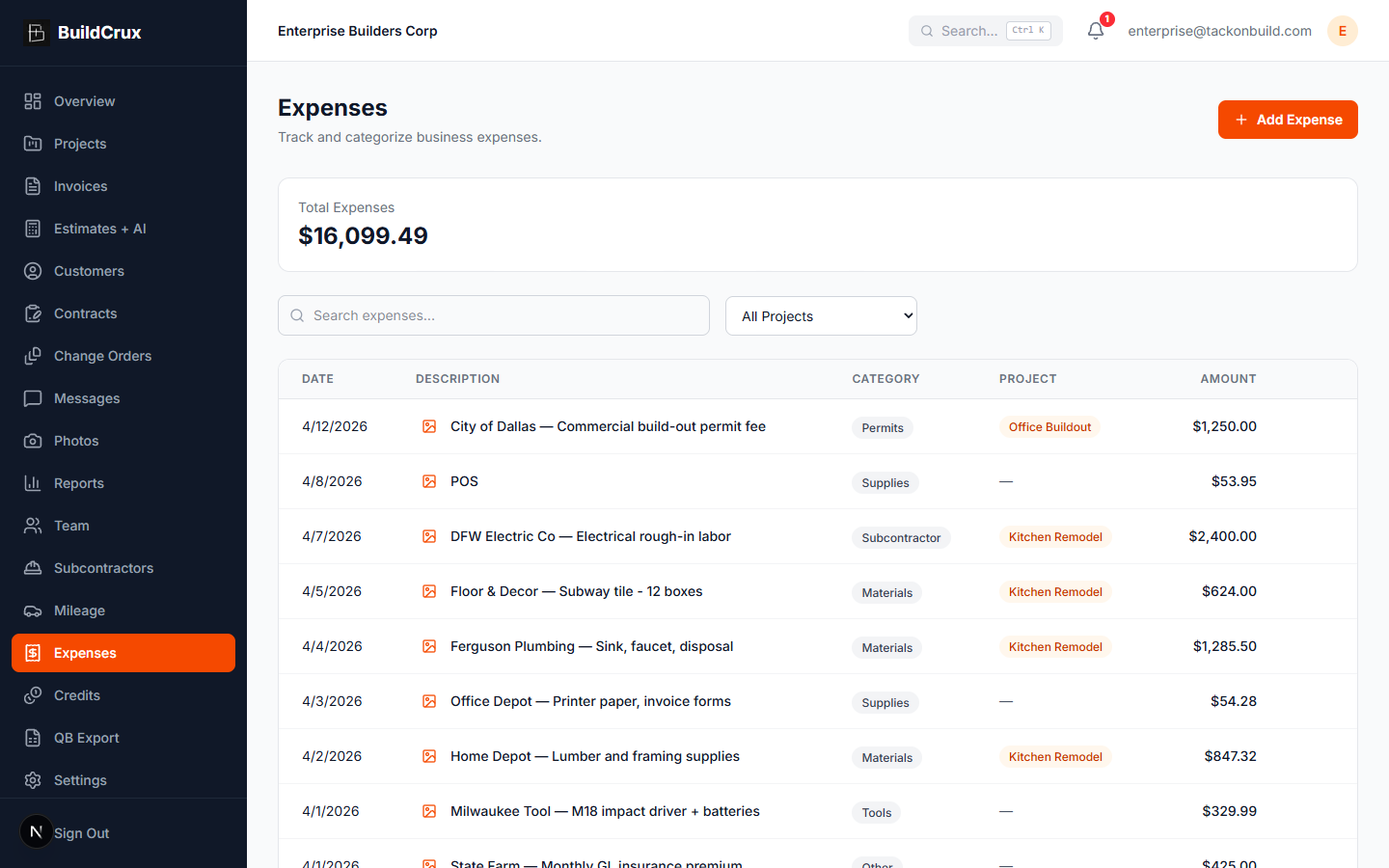
Expenses
Upload receipt photos, categorize expenses, and tie them to specific projects so you know exactly where every dollar goes. BuildCrux replaces the shoebox of receipts with organized, searchable expense records that make tax prep and job costing painless.
- Receipt photo upload
- Per-project cost tracking
- Exportable expense reports
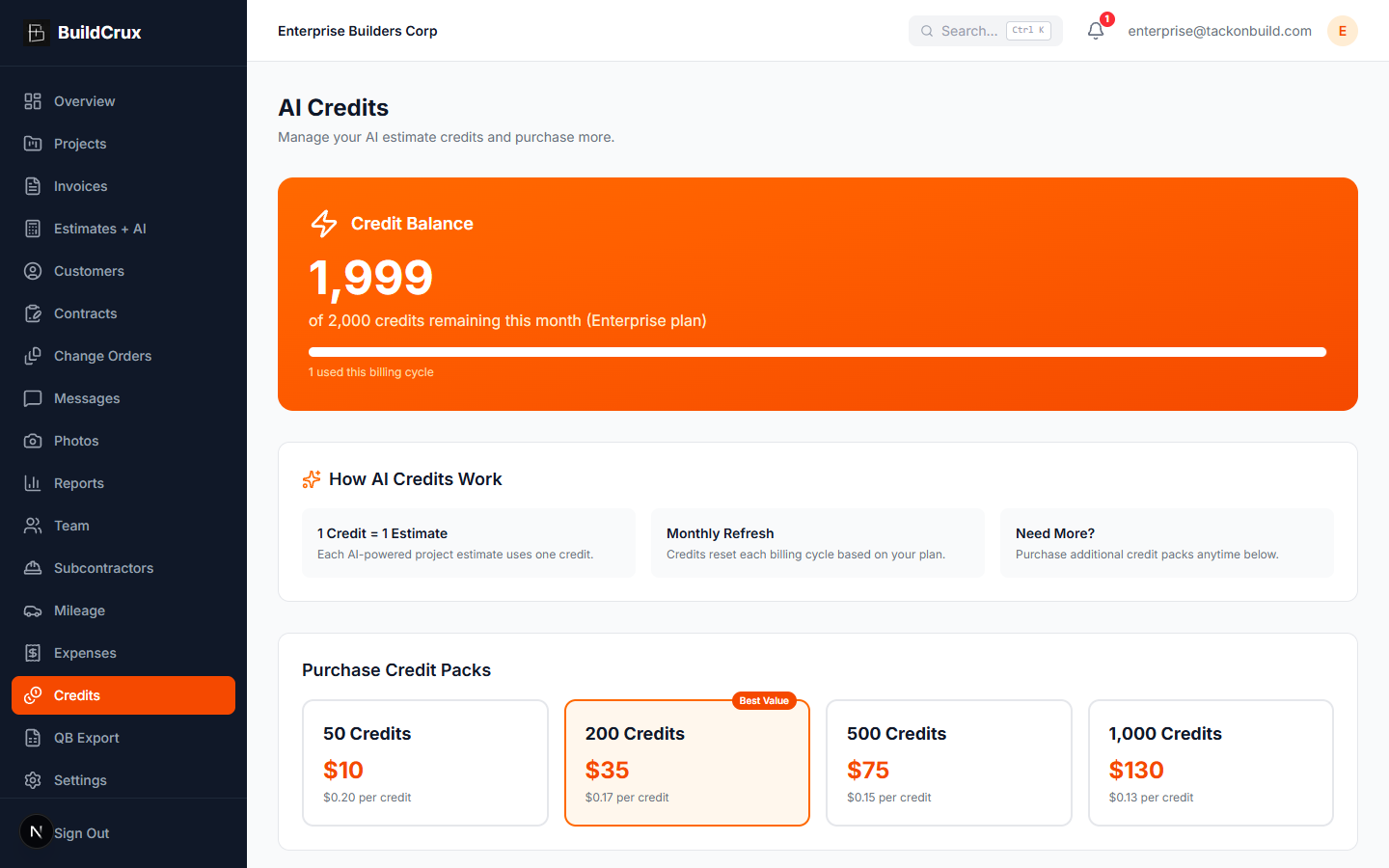
AI credits that fit your workflow
Credits
BuildCrux uses a credit system for AI-powered features like blueprint estimates. Your subscription includes monthly credits, and you can purchase additional credit packs on demand — so you always have the firepower to bid fast when a big opportunity lands.
- Credits included with plans
- On-demand credit packs
- Real-time usage tracking
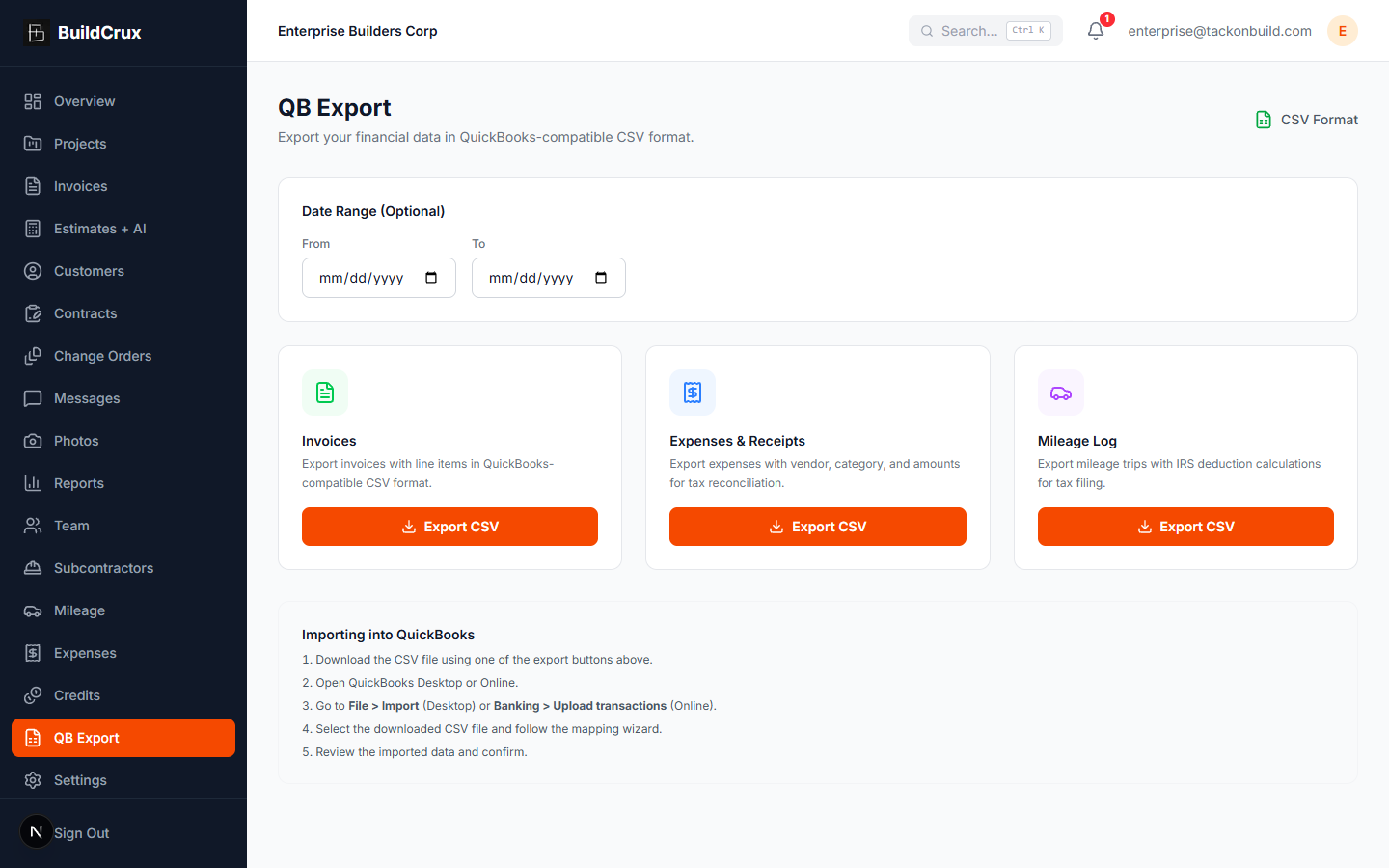
Two-way QuickBooks Online sync — not a one-time export
QuickBooks Sync
Connect QuickBooks Online once and keep your books matched without the weekly cleanup. Import your existing QuickBooks customers with dedup, keep them in sync both directions with a review step when the two disagree, push invoices with sales tax handled, and pull payments back to reconcile automatically. A live API integration, not a file export.
- Two-way customer sync
- Automatic payment reconciliation
- No double data entry
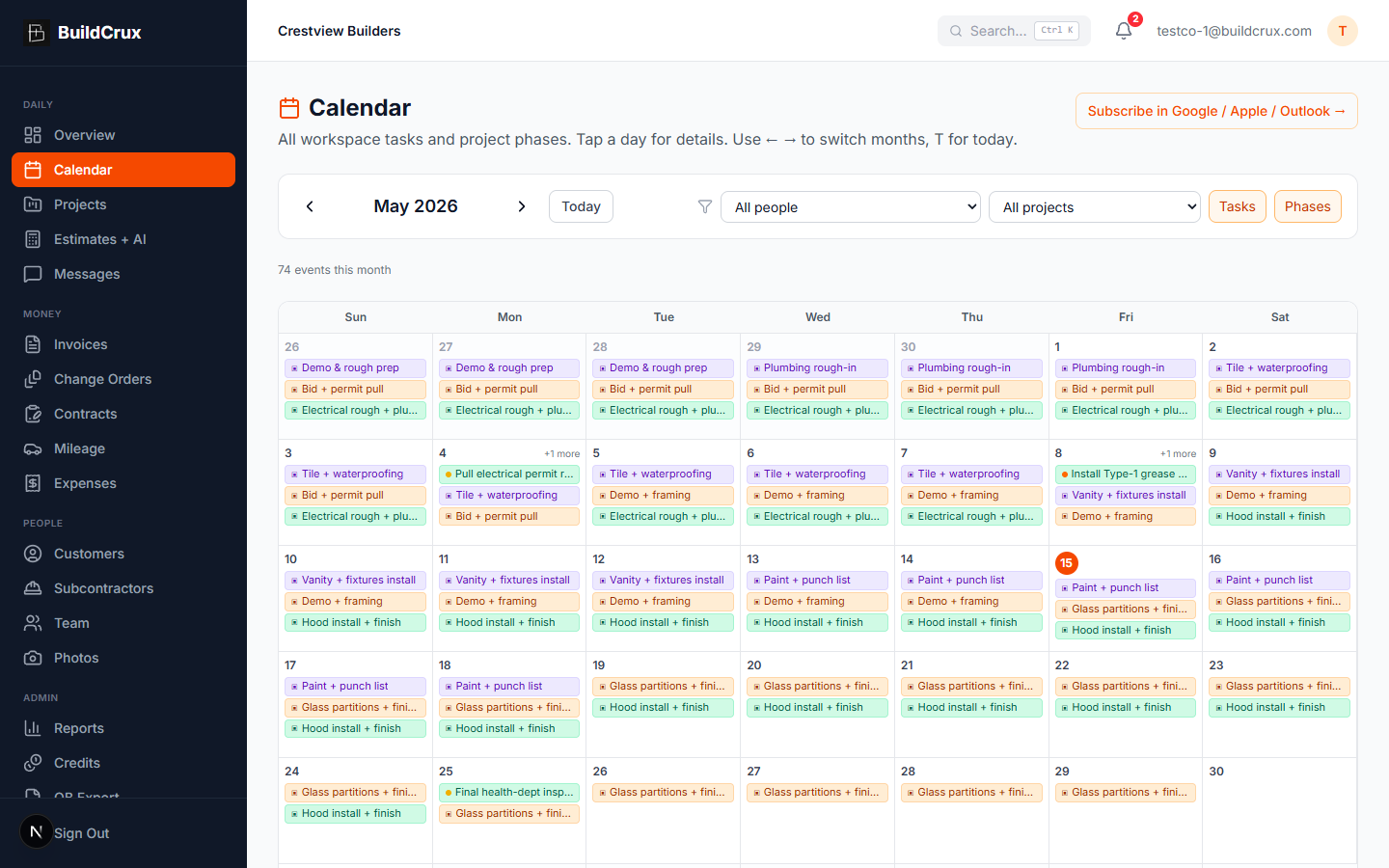
Every job and crew assignment on one calendar — synced to Google, Apple, and Outlook
Calendar & Scheduling
See every project phase, task, and crew assignment on a unified monthly calendar — then subscribe to it in Google Calendar, Apple Calendar, or Outlook with one link. Set recurring task templates for weekly safety walks, daily check-ins, or monthly client updates. Turn entire projects into recurring schedules for cleaning, lawn, pool, or pest service routes. Field crews open a "My Day" view on mobile to see exactly what they're assigned to today.
- Google / Apple / Outlook subscribe
- Recurring tasks + recurring jobs
- Mobile My Day view
Real labor cost on every job, not a guess
Crew Time Clock
Crews clock in to a project from their phone the moment they roll up to the jobsite. BuildCrux captures every minute on every project, applies your workspace pay rates and rounding policy, and rolls the labor cost straight into Project Financials and Reports — closing the fourth and last cost category that makes profitability honest. No spreadsheets, no payroll guesswork, no end-of-week reconstruction. Field workers see a 56-pixel live timer and accrued dollars while they work. Office staff see who is on the clock right now, on which project, and what it is costing per hour. Admins set min-shift hours and round-up policy once at the workspace level, and everyone sees consistent billable totals across web, Android, and iOS.
- Live timer + accrued $ on mobile
- Workspace min-shift + round-up policy
- Flows into Project Financials + Reports
Run monthly pay applications with retainage, the way commercial jobs actually pay
AIA Progress Billing (G702 / G703)
Bill larger commercial jobs the way owners and architects expect: a monthly Application and Certificate for Payment (G702) backed by a Schedule of Values continuation sheet (G703), with retainage held and released on schedule. BuildCrux builds the Schedule of Values straight from your winning estimate so it foots to the contract by construction, then runs each draw with per-line percent complete, stored materials, and retainage. The owner or architect certifies and signs on a secure link (they can certify less than requested), and the certified amount becomes an invoice in your existing accounts-receivable, Stripe, and QuickBooks pipeline. No more rebuilding a G702 in a spreadsheet every month, and no more draws rejected because the Schedule of Values does not tie back to the contract.
- Schedule of Values built from your estimate
- Retainage held + released at closeout
- Architect e-sign certify to invoice

Let customers pay big invoices by bank transfer and keep the processing fee low
Bank / ACH Invoice Payments
Give your customers a bank-transfer option on the invoices you already send, so the money moves at a lower processing fee than card. When you email an invoice, BuildCrux offers ACH bank payment right on the same secure Stripe checkout page the customer already opens to pay, next to card, and they choose which one to use. The bank-transfer fee is about 1 percent with a $3 minimum and no cap, versus the roughly 3 percent a card runs, so on a $12,000 draw the customer's payment costs you about $120 instead of $360 or more. Bank payment is offered on invoices up to about $20,000 for accounts that have their Stripe payout account connected and the option turned on. It is bank-or-card, always the customer's choice, and card never goes away, so if bank transfer is not available for a given payment the link quietly falls back to card and still works. Bank transfers clear in a few business days rather than instantly, which is the normal ACH tradeoff for the lower fee, and the payment reconciles against the invoice automatically once it settles.
- About 1% vs ~3% card fee
- Card or bank, customer's choice
- Auto-reconciled when it settles

Let a bookkeeper or accounting firm into your books at exactly the access you choose
Bookkeeper & Managed-Service Access
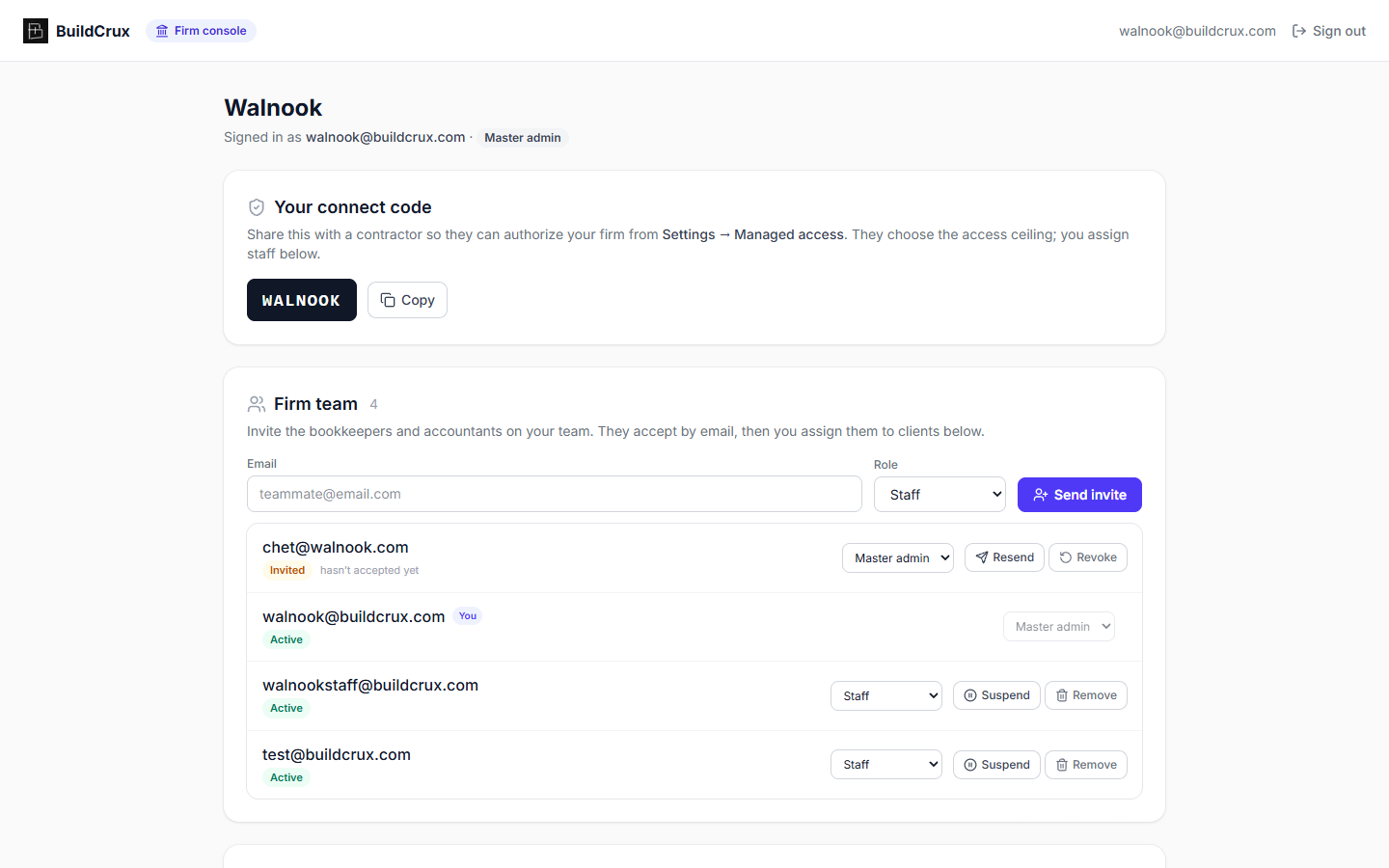
Give your bookkeeper, accountant, or back-office firm their own way into BuildCrux without sharing your login or using up a paid seat. As the workspace owner you authorize a firm with the connect code they give you and pick the ceiling: Read only to view financials and reports, Bookkeeper to also work invoices, expenses, receipts, payments, and reports, or Full admin to reach projects, customers, and schedule as well. The firm's master admin then assigns individual staff to individual clients, and a staffer's real access is always the lower of your ceiling and their assignment, so no one the firm hires can quietly exceed what you granted. Their team works from a separate firm console that lists every client they manage, shows your ceiling and their effective access on each, and opens straight into your books. Firm access is view-first today, with money actions like recording payments and uploading expenses available at the bookkeeper level and more write workflows rolling out. A firm can never change your subscription, your Stripe payout settings, your team, or your AI credits, and can never delete your workspace, no matter which level you grant. Revoke access whenever you want and every one of their people is locked out on their next request, re-checked on the server rather than trusted from a stale session.
- Grant access at a ceiling you set
- Never touches billing, payouts, or credits
- Revoke access anytime
Frequently asked questions
What do I actually get with BuildCrux?
BuildCrux is a combined project-management and AI estimating platform for remodelers and small-to-mid general contractors. Alongside AI blueprint estimates, you get projects, invoices with card and bank/ACH pay links, change orders, e-sign contracts, a customer portal and CRM, team and customer messaging, jobsite photos, receipt and expense capture, mileage tracking, a time clock, and QuickBooks export. It's one place to run the office side of a contracting business, not just an estimating tool.
Can I use BuildCrux on my phone or only on a computer?
Both. There's a full web app at buildcrux.com plus native iOS and Android apps, and your data stays in sync across all three. Field features like jobsite photos, receipt capture, mileage, and the time clock are built to be used from your phone on the job.
What's the difference between the plan tiers?
There are four monthly plans: Solo at $39, Crew at $149, Office at $349, and Enterprise at $999, with annual billing costing less per month. Solo covers residential AI estimates only, while commercial AI estimates require Crew or higher, and Office adds AIA G702/G703 progress billing. Every plan includes a monthly pool of AI estimate credits, and you can buy additional credit packs anytime.
Do I have to subscribe just to try an estimate?
Using the in-app AI estimating and the rest of the platform requires a paid plan, and there's no free trial. If you only need an occasional estimate, there's a separate pay-per-estimate option called /takeoff that needs no subscription — $29 for residential, $99 for commercial, and $199 for large commercial. Otherwise, pick the plan tier that matches how much you estimate and manage each month.
What does BuildCrux integrate with?
BuildCrux includes QuickBooks export so you can move your financial data into QuickBooks, and payments are handled through Stripe. It does not currently integrate with other accounting or project tools beyond that export. Each contractor's data is isolated to their own private workspace.
Ready to win the next remodel or TI bid?
Drop a PDF drawing set in, walk out with a priced bid in twelve minutes. Try BuildCrux risk-free with our 30-day money-back guarantee.