Crew Time Clock for Contractors — Real Labor Cost per Job
Real labor cost on every job, not a guess
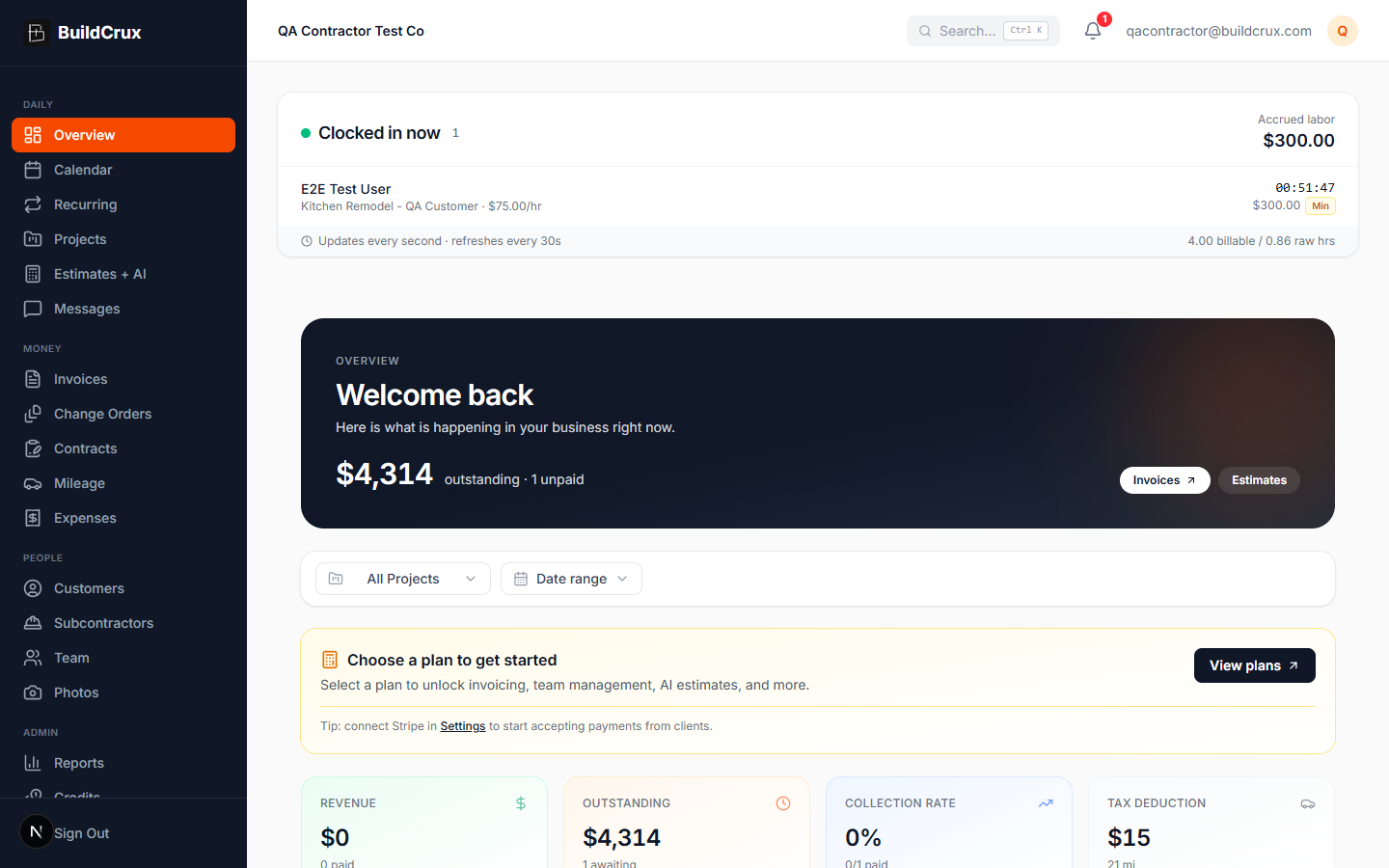
Crews clock in to a project from their phone the moment they roll up to the jobsite. BuildCrux captures every minute on every project, applies your workspace pay rates and rounding policy, and rolls the labor cost straight into Project Financials and Reports — closing the fourth and last cost category that makes profitability honest. No spreadsheets, no payroll guesswork, no end-of-week reconstruction. Field workers see a 56-pixel live timer and accrued dollars while they work. Office staff see who is on the clock right now, on which project, and what it is costing per hour. Admins set min-shift hours and round-up policy once at the workspace level, and everyone sees consistent billable totals across web, Android, and iOS.
What you get
Crew Time Clock — frequently asked questions
How do crews clock in on a jobsite?
Workers tap "Clock in" on their phone, pick the project, and a live timer runs while they work with accrued labor dollars updating as they go. It stays in lockstep across web, Android, and iOS.
Does the labor cost actually show up in my job numbers?
Yes — clocked hours flow into Project Financials as a Labor row alongside Expenses, Mileage, and Sub Payments, and into the Profitability report. That gives you real labor cost on a job instead of an end-of-week guess.
Can I set minimum shift hours or round time up?
Admins set a workspace-wide minimum shift and a round-up policy of 15, 30, or 60 minutes once, and BuildCrux applies it automatically at clock-out. "Min applied" and "Rounded" chips show up wherever billable time exceeds the raw elapsed time.
What happens if someone forgets to clock out?
A reminder pushes to the worker after 12 hours with a one-tap clock-out so labor doesn't balloon overnight, and an admin can edit the shift with the change stamped for a payroll audit trail. The time clock is included on every plan at no extra cost.
Ready to streamline your business?
Try BuildCrux risk-free with our 30-day money-back guarantee — full refund within 30 days.