Contractor Reports & Analytics
Financial and project reports in seconds
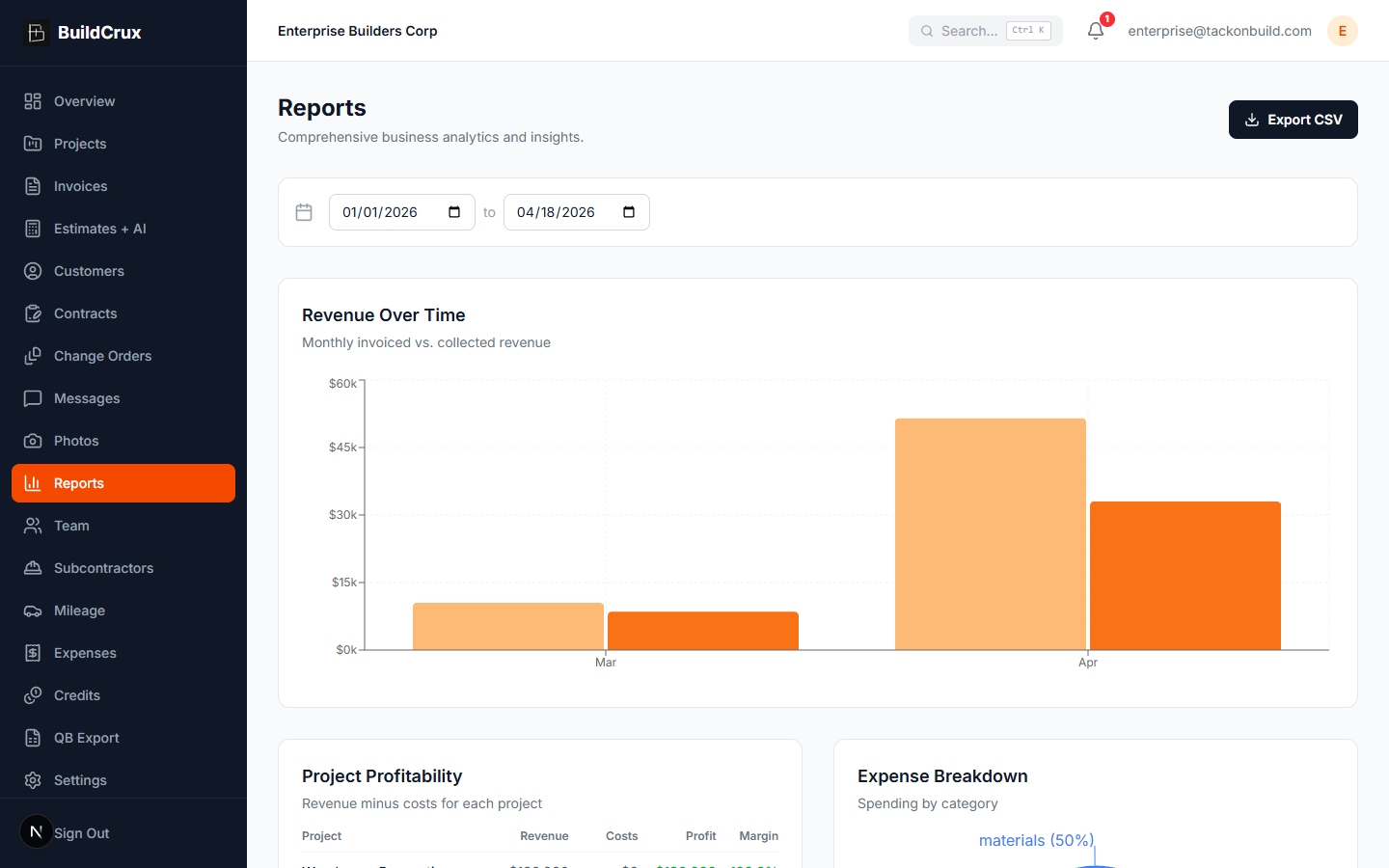
Generate financial summaries, project analytics, and expense breakdowns with a few clicks. BuildCrux compiles invoices, expenses, mileage, sub payments, and crew labor — the four cost categories that make profit honest — into clear, exportable reports so you are always prepared for tax season, client meetings, or business reviews. The Profitability table puts revenue against every cost category for each project; the Labor Summary card, powered by the Crew Time Clock, breaks down billable hours, total shifts, and labor cost across any date range.
What you get
Reports — frequently asked questions
What data do BuildCrux reports actually pull together?
Reports compile invoices, expenses, mileage, sub payments, and crew labor into financial summaries, project analytics, and expense breakdowns. You can filter by project, date range, or category to narrow in on what you need.
Can I see whether an individual job actually made money?
The Profitability table puts each project's revenue against every cost category — expenses, mileage, sub payments, and labor — so you can spot your best and worst jobs. Tracking profit per project shows where the real margin is.
Where does the labor cost in the reports come from?
The Labor Summary card is powered by the Crew Time Clock and breaks down billable hours, total shifts, and labor cost across any date range you pick. That turns labor into a tracked cost instead of an end-of-week guess.
Can I hand these reports to my accountant at tax time?
Yes. You can export reports to CSV or PDF to hand to your accountant or tax preparer, and the visual charts make the numbers easier to present to partners or lenders. Everything pulls from the same project and financial data you already track in BuildCrux.
Ready to streamline your business?
Try BuildCrux risk-free with our 30-day money-back guarantee — full refund within 30 days.
Related reading from the blog
Faizan Khan · 10 min read
Overhead and Profit in Construction, Explained
Overhead and profit is the number that decides whether a busy contractor is a profitable one. Most contractors guess at it. Here is what O&P actually covers, how to calculate your real overhead rate, and how to apply it to every bid and change order.
ReadFaizan Khan · 10 min read
Job Costing for Contractors: How to Know Real Profit on Every Job
Most contractors do not know which jobs make money and which ones quietly lose it. Job costing fixes that. Here is how to track every cost category against the job in real time, and read true margin while you can still do something about it.
Read