Subcontractor Management
Track subs by trade and keep them close
Manage your subcontractor roster with trade-specific profiles, contact details, and project assignments. BuildCrux lets you invite subs directly, track which trades are on each job, and maintain a reliable network of specialists you can call on for any project.
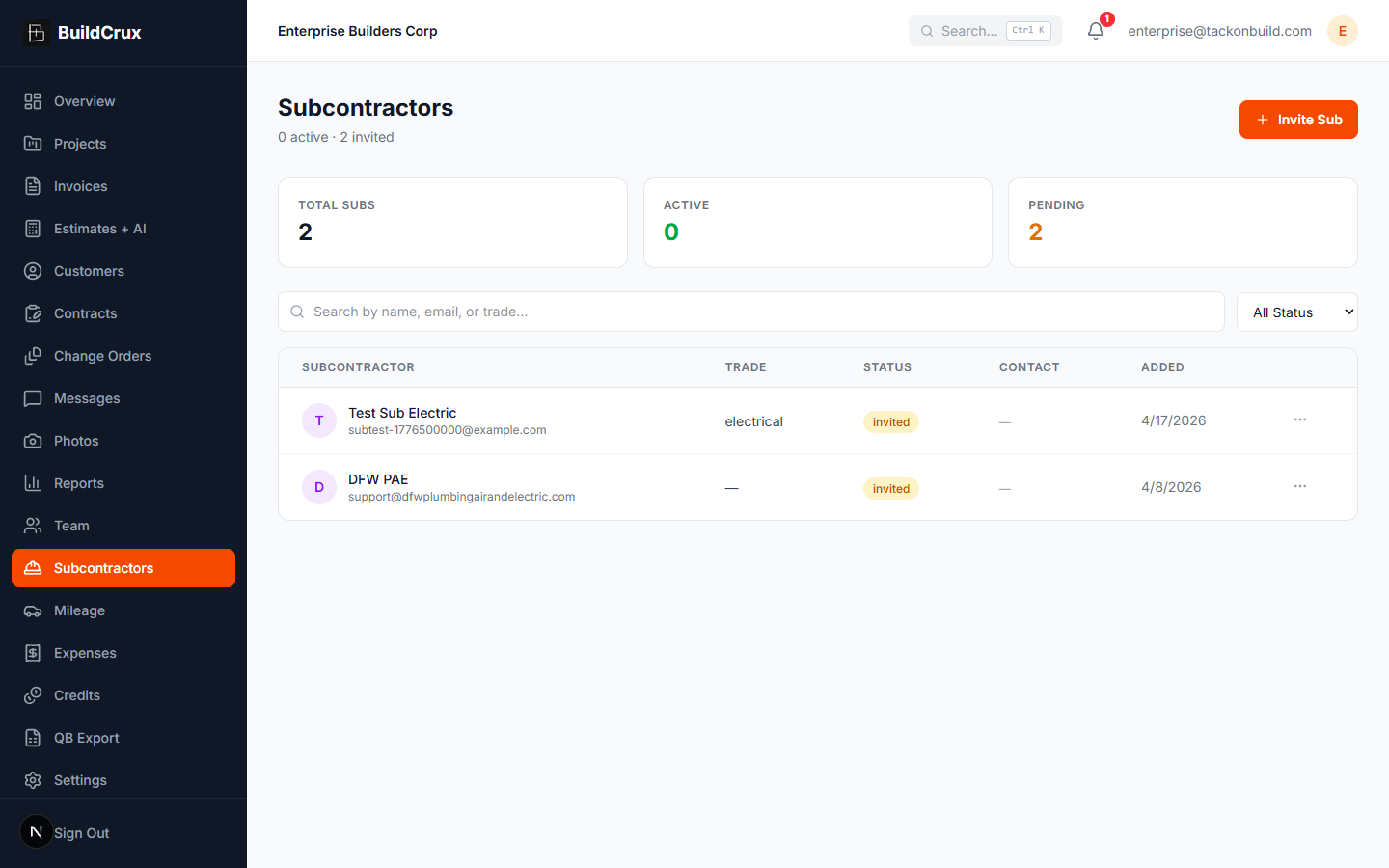
What you get
Subcontractors — frequently asked questions
How does BuildCrux organize my subcontractors?
You build a roster of subs organized by trade — electrical, plumbing, HVAC, and so on. When you need a specialist fast, you can search or filter the roster by trade to find one you have worked with before.
What details can I keep on each subcontractor?
Each sub's record keeps their company, contact info, and trade together with the bids and jobs they have been part of. That puts what you need to reach them and bring them onto work in one place instead of scattered across texts and emails.
How do I bring a sub onto a specific job?
You invite subcontractors by email with their trade pre-selected, then assign them to specific projects and phases. You can also see which trades are on each job at a glance.
Can I tell which subs are reliable over time?
Because each sub's past bids and jobs stay tied to their record, your roster becomes a history of who you have worked with and how their pricing stacked up. Over time that gives you a factual basis for leaning on the specialists who have delivered, instead of starting from scratch each project.
Ready to streamline your business?
Try BuildCrux risk-free with our 30-day money-back guarantee — full refund within 30 days.