AI Construction Estimating Software for Contractors
Turn a full plan set into a priced draft bid you review, in minutes
Upload a full PDF drawing set and BuildCrux runs a multi-pass pipeline that first identifies every sheet, then computes takeoff quantities, then prices each line against a calibrated unit-cost library. Multiple AI models then independently re-price and cross-check every line, arbitrating any disagreement so a misread never reaches your bid. It reads residential plans, restaurant and dental fit-outs, and large commercial multi-discipline sets across mechanical, electrical, plumbing, structural, and finishes, on both tenant-improvement and ground-up work. Pricing is location-aware: it reads the project address off the title block and adjusts labor and material to that market instead of quoting a high-cost metro job at national rates. The plan reading is grounded in a document-traceable dictionary of drawing symbols, abbreviations, and furnishing conventions built from public-domain standards, so it decodes an owner-furnished O/I note instead of guessing. Every line carries a confidence flag and a link back to its source sheet, and advisory checks surface trades that look under-itemized plus code-required items the drawings rarely show, like ADA clearances. The result is an AI draft you review, edit, and adjust before you bid, never a finished number you send blind.
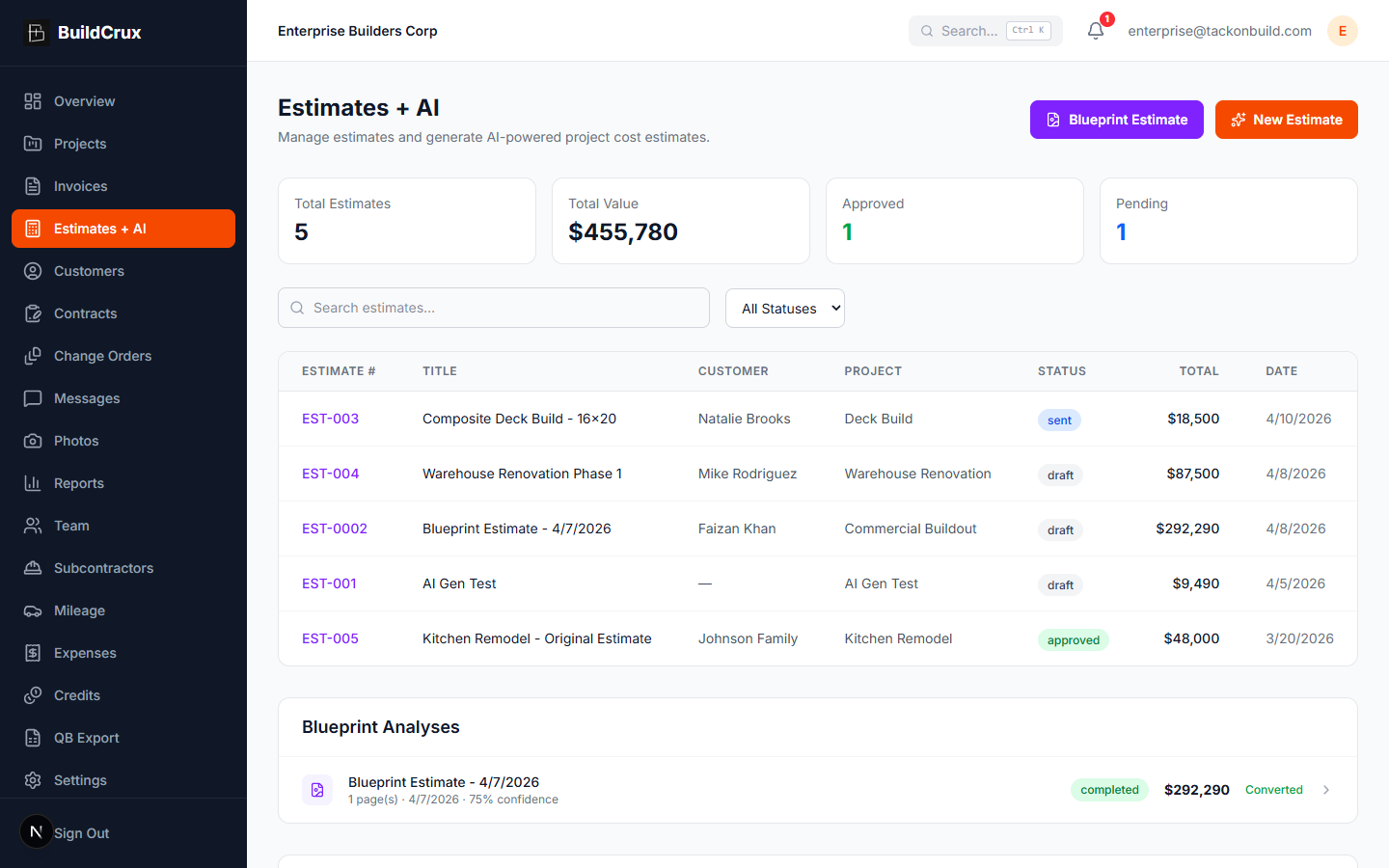
What you get
Estimates + AI — frequently asked questions
How accurate is the AI estimate — can I just send it straight to the client?
Treat it as a starting draft you review, edit, and adjust before you bid, never a finished number you send blind. Multiple AI models independently price and cross-check every line to help catch a misread. Accuracy is higher on vector, born-digital PDFs with selectable text than on scanned or photographed plans.
Can I use the AI estimator for commercial jobs, or only residential?
Residential AI estimates run on the Solo plan. Commercial and multi-family estimates require the Crew plan or higher, where it reads multi-discipline sets across mechanical, electrical, plumbing, structural, and finishes on both tenant-improvement and ground-up work.
Do I need a subscription just to run one estimate?
The in-app AI estimating requires a paid plan and draws on your monthly credit pool, and you can buy more credit packs anytime. If you only need a one-off, the /takeoff option runs a pay-per-estimate takeoff with no subscription — $29 residential, $99 commercial, or $199 large commercial.
I'm a sub, not a GC — can it price just my trade?
The AI estimate comes back as a line-item breakdown organized by category, so a subcontractor can focus on and adjust just the lines for their own trade instead of the whole job. And if you only bid occasionally, the no-subscription /takeoff option lets you run a pay-per-estimate takeoff without committing to a monthly plan.
Ready to streamline your business?
Try BuildCrux risk-free with our 30-day money-back guarantee — full refund within 30 days.
Related reading from the blog
Faizan Khan · 11 min read
Best AI Estimating Software for Remodelers and Small GCs (2026)
A working contractor's roundup of the AI estimating tools that matter in 2026. Real pricing, where each one wins, and the right tool for residential, commercial TI, budget, and all-in-one.
ReadFaizan Khan · 9 min read
How to Run AIA Progress Billing in BuildCrux, Draw by Draw
The AIA G702 and G703 forms make sense once you see them as math. The hard part is running them every month without a rejected draw or a forgotten retainage line. Here is the full BuildCrux progress billing workflow, from building the schedule of values off your estimate to billing the final retainage release at closeout.
ReadFaizan Khan · 11 min read
AIA G702 and G703: The Contractor Guide to Progress Billing
If a general contractor or owner asks for your billing "on a G702," they want a specific pair of AIA forms most small contractors have never filled out. Here is what the G702 and G703 are, how they work together, and how to bill progress on commercial work without getting your draw rejected.
ReadExplore more features
Visual Takeoff & Plan-Source Provenance
See the exact plan sheet behind every AI estimate line, so you can check the number before you bid
Learn moreSub-Bid Leveling
Collect subcontractor bids, level them against your AI estimate, and assemble the customer bid
Learn moreAIA Progress Billing (G702 / G703)
Run monthly pay applications with retainage, the way commercial jobs actually pay
Learn more