Bookkeeper & Accountant Access for Contractors
Let a bookkeeper or accounting firm into your books at exactly the access you choose
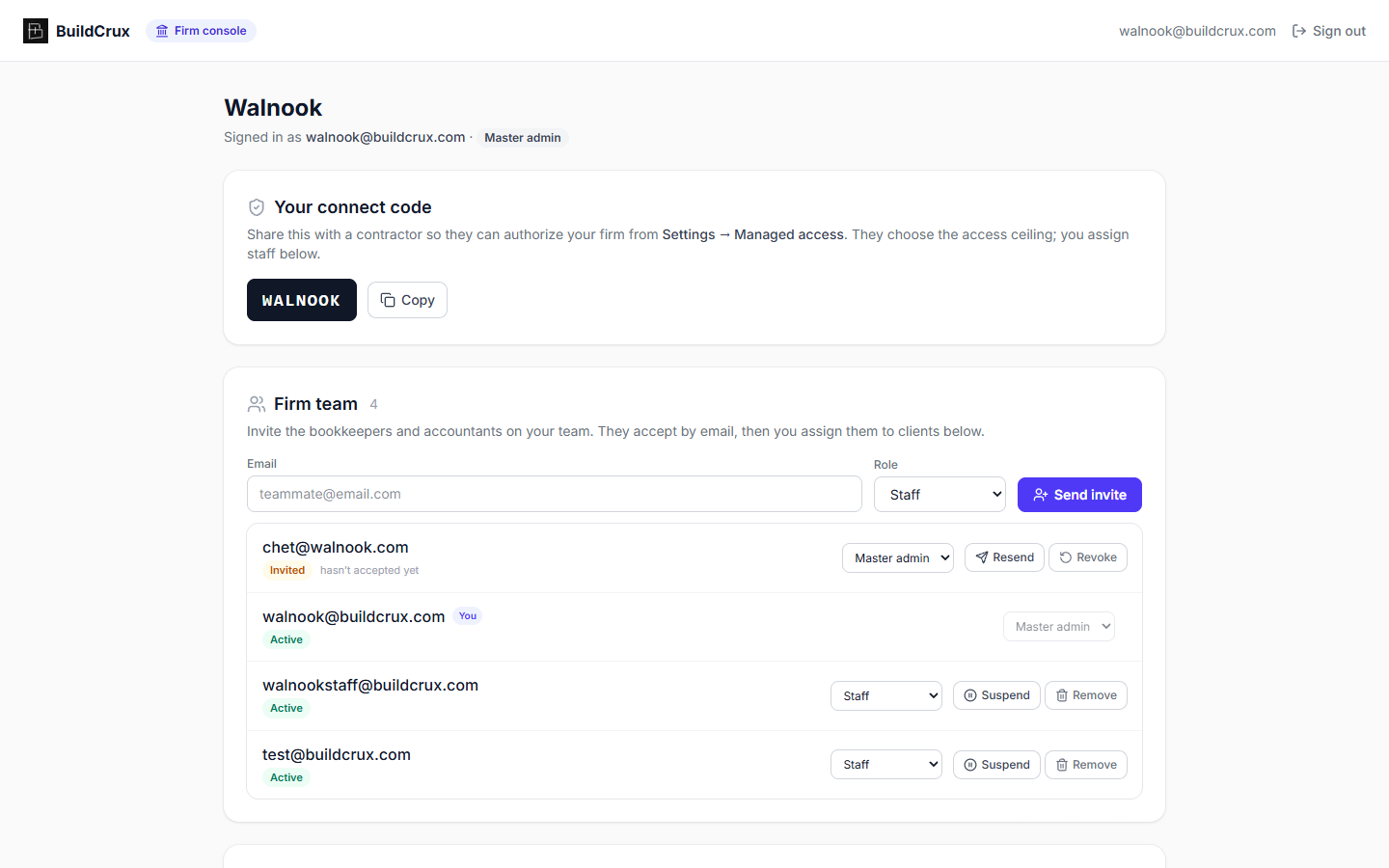
Give your bookkeeper, accountant, or back-office firm their own way into BuildCrux without sharing your login or using up a paid seat. As the workspace owner you authorize a firm with the connect code they give you and pick the ceiling: Read only to view financials and reports, Bookkeeper to also work invoices, expenses, receipts, payments, and reports, or Full admin to reach projects, customers, and schedule as well. The firm's master admin then assigns individual staff to individual clients, and a staffer's real access is always the lower of your ceiling and their assignment, so no one the firm hires can quietly exceed what you granted. Their team works from a separate firm console that lists every client they manage, shows your ceiling and their effective access on each, and opens straight into your books. Firm access is view-first today, with money actions like recording payments and uploading expenses available at the bookkeeper level and more write workflows rolling out. A firm can never change your subscription, your Stripe payout settings, your team, or your AI credits, and can never delete your workspace, no matter which level you grant. Revoke access whenever you want and every one of their people is locked out on their next request, re-checked on the server rather than trusted from a stale session.
What you get
Bookkeeper & Managed-Service Access — frequently asked questions
Do I have to share my password or pay for another seat to give my bookkeeper access?
No. You authorize a bookkeeping or accounting firm with the connect code they give you, so you never share your login or add them to your team as a paid seat. Only the workspace owner can connect, change the level of, or revoke a managing firm.
How much can the firm's staff actually see and do?
You pick the ceiling: Read only for view-only financials and reports, Bookkeeper to also work invoices, expenses, receipts, payments, and reports, or Full admin to reach projects, customers, and schedule too. The firm's master admin assigns specific staff to specific clients, and each staffer's real access is the lower of your ceiling and their assignment, so the firm can never grant its own people more than you allowed.
Can a bookkeeper touch my billing, payouts, or subscription?
Never, at any access level. A firm can't change your subscription, your Stripe payout settings, your team, or your AI credits, and can't delete your workspace. If the firm also referred you and earns a commission on your subscription, that overlap is disclosed to you right when you grant access.
What happens when I revoke a firm's access?
You revoke access from Settings and every one of their staff is locked out immediately — it's re-checked on the server on their next request rather than trusted from a stale session. Firm staff also have to be invited by email by their master admin and verify before they can open any client's books, so access is always tied to a real person the firm added.
Ready to streamline your business?
Try BuildCrux risk-free with our 30-day money-back guarantee — full refund within 30 days.